Category: Featured

Featured posts

  • Marketing for Clinic: How to Build Patient Trust Before the First Appointment

    Marketing for Clinic: How to Build Patient Trust Before the First Appointment

    TL;DR: Building patient trust before the first appointment requires a consistent online presence, authentic storytelling, transparent communication, and social proof. Clinics that invest in trust-building marketing see higher conversion rates, lower no-show rates, and stronger long-term patient relationships.

    A potential patient finds your clinic online. They read your website, scroll through your Google reviews, and check your social media. Within minutes—before they’ve spoken to a single staff member—they’ve already decided whether they trust you enough to book.

    This is the reality of modern healthcare marketing. Trust is no longer built in the waiting room. It’s built online, quietly, long before anyone picks up the phone. For clinics competing in increasingly crowded local markets, the ability to establish credibility before the first appointment isn’t a nice-to-have. It’s a competitive necessity.

    The good news? Trust is buildable. And with the right marketing strategies, your clinic can become the obvious, reassuring choice for patients who are often anxious, uncertain, and comparing multiple providers at once.

    This guide walks through exactly how to do that—from your website and reviews to social media, email, and beyond.


    Why Do Patients Struggle to Trust Clinics They Haven’t Visited Yet?

    Healthcare decisions carry real emotional weight. Patients aren’t choosing a restaurant or a gym—they’re choosing someone to care for their body, mental health, or long-term wellbeing. That vulnerability creates a high trust threshold in marketing for clinic.

    Several barriers make patients hesitant before a first visit:

    • Fear of the unknown: They don’t know what the experience will feel like, who they’ll see, or how they’ll be treated.
    • Past negative experiences: A dismissive doctor or a billing surprise can make patients cautious with new providers.
    • Information overload: Too many choices and inconsistent information across platforms create confusion, not confidence.
    • Perceived risk: Choosing the wrong clinic—especially for sensitive health matters—feels costly.

    Understanding these barriers is the foundation of effective clinic marketing. Every piece of content, every review response, and every social post should address one or more of these fears, directly or indirectly.


    How Does a Clinic Website Build or Break Patient Trust?

    Your website is almost always the first real interaction a prospective patient has with your clinic. It either reassures them or sends them to your competitor.

    What makes a clinic website trustworthy?

    Clarity and speed come first. A slow, cluttered site signals disorganization—not the impression a healthcare provider wants to make. According to Google, 53% of mobile users abandon a site that takes longer than three seconds to load. Speed is a trust signal.

    Beyond performance, the content itself must do heavy lifting:

    • Clear service descriptions: Patients should immediately understand what you treat, who you serve, and what to expect. Avoid jargon.
    • Practitioner profiles with real photos: Patients want to see who they’ll be meeting. A professional headshot and a brief personal bio humanize your team and reduce pre-appointment anxiety.
    • Transparent pricing or insurance information: Uncertainty about cost is one of the top reasons patients delay care. Even a general overview of what you accept builds confidence.
    • Easy, frictionless booking: A complicated booking process erodes trust. Offer online scheduling with minimal steps.

    Should clinics display credentials and certifications prominently?

    Yes—prominently and plainly. Credentials confirm competence, but don’t assume patients will hunt for them. Feature board certifications, professional memberships, and years of experience in an easy-to-find location on your site, ideally on practitioner profiles and your “About” page.


    How Can Online Reviews Shape Patient Decisions Before a First Visit?

    Reviews are the digital equivalent of a personal recommendation. According to a 2023 survey by Software Advice, 71% of patients use online reviews as their first step in finding a new healthcare provider. That number is too significant to ignore.

    How should clinics approach Google and Healthgrades reviews?

    Quantity matters, but quality matters more. A clinic with 200 reviews averaging 4.6 stars is more persuasive than one with 20 reviews averaging 5.0 stars. Volume signals that the experience is consistent, not cherry-picked.

    Actively request reviews from satisfied patients. A simple follow-up text or email after an appointment—with a direct link to your Google Business Profile—dramatically increases review volume over time.

    Responding to reviews is non-negotiable. Reply to positive reviews with genuine gratitude. For negative reviews, respond calmly, professionally, and without disclosing patient information. A thoughtful response to a critical review can actually increase trust, because it demonstrates accountability.

    Which review platforms matter most for clinic marketing?

    Prioritize these platforms based on your patient demographic:

    • Google Business Profile — the highest-impact for local search visibility
    • Healthgrades and Zocdoc — heavily used by patients specifically searching for healthcare providers
    • Facebook — particularly relevant for community-based clinics with an older patient demographic
    • Yelp — relevant in urban markets where patients cross-shop local businesses

    What Role Does Content Marketing Play in Building Pre-Visit Trust?

    Content marketing positions your clinic as a knowledgeable, approachable authority—not just a service provider. When patients find helpful, accurate information on your blog or social channels before they’ve even booked, they arrive with a head start on trust.

    What types of content build the most trust for healthcare clinics?

    Educational blog posts and articles address the questions patients are already searching. Posts like “What to expect at your first physiotherapy appointment” or “How to prepare for a skin check” reduce anxiety and set accurate expectations.

    Video content accelerates trust faster than text. A 60-second tour of your clinic, a short introduction from your lead practitioner, or a simple explainer on a common procedure can do more for pre-visit comfort than a well-written paragraph.

    Patient stories and case studies (with appropriate consent) provide social proof in narrative form. They help prospective patients see themselves in your existing patient base.

    How often should a clinic publish content to stay visible and credible?

    Consistency beats volume. A clinic that publishes one well-researched blog post per month, maintains an active Google Business Profile, and posts on social media two to three times per week will outperform a clinic that publishes sporadically with no clear strategy. The goal is to be findable and familiar when a patient is ready to book.


    How Does Social Media Build Patient Trust for Clinics?

    Social media gives clinics something traditional advertising never could: personality. When patients follow your clinic on Instagram or Facebook, they’re not just seeing promotions—they’re getting a feel for your culture, your values, and your people.

    What social media content works best for clinics?

    • Behind-the-scenes content: Photos of your team preparing for the day, new equipment arrivals, or clinic renovations make your practice feel real and relatable.
    • Staff spotlights: Short posts introducing individual team members build familiarity before a patient ever steps through the door.
    • Health tips and seasonal reminders: Practical advice—like reminders to book annual check-ups or tips for managing seasonal allergies—keeps your clinic top of mind and positions your team as genuinely invested in patient wellbeing.
    • Community involvement: Participating in local events, charity drives, or health fairs? Share it. Community ties reinforce the sense that your clinic is a trusted local institution, not a faceless corporate provider.

    Avoid overly polished, stock-photo-heavy content. Patients respond to authenticity. Real photos of real people in your actual clinic will always outperform generic imagery.


    How Can Email Marketing Nurture Trust With Prospective Patients?

    Not every website visitor books immediately. Some are still comparing options, waiting on insurance details, or simply not ready yet. Email marketing keeps your clinic present in their mind during that deliberation period.

    What email sequences help convert prospective patients into booked appointments?

    A simple, three-part nurture sequence works well for most clinics:

    1. Welcome email: Triggered when someone signs up via your website or downloads a resource. Introduce your clinic, your values, and what makes your approach different.
    2. Educational email: Share a helpful piece of content—a blog post, a FAQ document, or a short video—that addresses a common concern your patient base faces.
    3. Soft call to action: Invite the reader to book a consultation or ask a question via a direct email or chat widget.

    Keep emails short, warm, and free of clinical jargon. The tone should feel like a helpful conversation, not a marketing brochure.


    What Offline Touchpoints Still Influence Pre-Appointment Trust?

    Digital channels dominate pre-visit marketing, but offline signals still carry weight—particularly for community-based clinics.

    Word-of-mouth referrals remain one of the most powerful trust drivers in healthcare. A recommendation from a friend, colleague, or family member bypasses the entire research process and delivers a patient with a high baseline of confidence. Encourage referrals by providing exceptional service and making it easy for patients to share your details.

    Signage and location presentation matter too. A well-maintained exterior, clear directional signage, and a tidy waiting area visible through a window all contribute to a patient’s first impression—even before they walk in.


    Building a Clinic Patients Choose With Confidence

    Trust is not a single message. It’s an accumulation of signals—a fast-loading website, a genuine practitioner bio, a thoughtful review response, a helpful Instagram post, a well-timed email. Each one adds a small deposit to a patient’s confidence account.

    The clinics winning new patients consistently aren’t necessarily the largest or the most established. They’re the ones who have made trust-building a deliberate, ongoing part of how they show up online and in their communities.

    Start by auditing what a prospective patient sees when they first find your clinic. Does your Google Business Profile have recent reviews and accurate information? Does your website clearly communicate who you are and what you do? Is there any content—a blog post, a video, a social post—that answers the questions your patients are most likely to ask?

    Identify the gaps, address them one at a time, and remember: every improvement you make to your pre-visit experience is an investment in a patient relationship that could last years.


    Frequently Asked Questions

    How long does it take for clinic marketing efforts to build patient trust?

    Trust-building marketing is cumulative. Some tactics—like responding to reviews or updating your website—can have an immediate impact on perception. Longer-term strategies like content marketing and social media typically show meaningful results within three to six months of consistent effort.

    What is the most important marketing channel for a small clinic with a limited budget?

    Google Business Profile is the highest-priority, lowest-cost channel for most clinics. Keeping your profile accurate, actively collecting reviews, and posting regular updates can significantly improve local search visibility and patient confidence without requiring a large marketing budget.

    Should clinics use paid advertising to build trust, or focus on organic strategies first?

    Organic strategies—SEO, reviews, content, and social media—build more durable trust than paid ads. Paid advertising is effective for driving traffic, but it works best when it directs patients to a website and online presence already designed to convert. Build the foundation first, then amplify with paid.

    How can a clinic encourage patients to leave reviews without it feeling forced?

    The most effective approach is a simple, timely ask. A text or email sent within 24 hours of an appointment—thanking the patient and including a direct link to your preferred review platform—generates far more responses than a generic in-office sign. Keep the request brief and make leaving the review as easy as possible.

    What should a clinic do if it has a significant number of negative online reviews?

    Start by responding to each negative review professionally and empathetically, without referencing specific medical details. Then focus on generating new positive reviews from satisfied patients to improve your overall rating over time. If recurring complaints point to a systemic issue—wait times, billing, communication—address the root cause operationally, not just in your replies.


  • Retail CCTV Singapore: How CCTV Can Help Retailers Monitor More Than Just Shoplifting

    Retail CCTV Singapore: How CCTV Can Help Retailers Monitor More Than Just Shoplifting

    TL;DR: Retail CCTV systems in Singapore do far more than deter theft. Modern surveillance technology helps retailers analyze customer behavior, optimize store layouts, manage staff performance, and ensure regulatory compliance—making CCTV one of the highest-ROI investments a retailer can make.

    Walk into almost any retail store in Singapore and you’ll spot them—small, unobtrusive cameras mounted near entrances, above shelves, and at checkout counters. For years, most retailers installed CCTV with one goal in mind: catch shoplifters. And while loss prevention remains important, limiting your surveillance system to that single purpose is leaving serious money on the table.

    Singapore’s retail landscape is fiercely competitive. With over 23,000 retail establishments operating across the island and consumer expectations rising year after year, retailers need every advantage they can get. CCTV technology has evolved dramatically over the past decade, and today’s systems are capable of delivering insights that touch nearly every corner of retail operations—from store design and staff management to customer experience and compliance.

    This guide breaks down how Singapore retailers can extract maximum value from their CCTV investments, moving well beyond basic security into genuine business intelligence.


    Why Singapore Retailers Are Rethinking Their CCTV Strategy

    The traditional view of CCTV as a purely reactive tool is fading fast. Reactive security—reviewing footage only after an incident—captures value after the damage is done. Proactive surveillance, by contrast, generates continuous data that informs decisions before problems arise.

    Singaporean retailers are increasingly adopting this proactive mindset, driven by several converging factors: rising labor costs, shrinking margins, and growing pressure to deliver personalized in-store experiences that online competitors cannot replicate. A well-configured commercial CCTV security system, paired with modern video analytics software, becomes less of a security camera and more of a retail intelligence platform.

    The shift is also being accelerated by technology. Today’s IP cameras offer resolutions that far exceed what older analog systems could produce. When combined with AI-powered analytics, these cameras can count footfall, track movement patterns, detect queue lengths, and even flag staff behavior anomalies—all in real time.


    How CCTV Helps Retailers Understand Customer Behavior

    What is footfall analysis and why does it matter for retailers?

    Footfall analysis uses CCTV-linked software to count how many customers enter your store, when they arrive, and how long they stay. For Singapore retailers, this data is especially valuable given the high cost of retail space—whether you’re in Orchard Road or a heartland mall.

    Understanding peak traffic hours allows retailers to align staffing schedules with actual demand, reducing both overstaffing during quiet periods and understaffing during rushes. A store that sees consistent traffic spikes between 12pm and 2pm on weekdays can use that data to schedule additional floor staff during lunch hours, directly improving customer service without inflating the overall payroll.

    How do heat maps generated by CCTV reveal store layout problems?

    Heat mapping is one of the most powerful—and underused—applications of retail CCTV. By tracking customer movement paths throughout a store, analytics software generates visual maps showing which areas attract the most attention and which are consistently overlooked.

    A product display that management assumes is high-visibility might reveal, through heat map data, that customers rarely venture past the second aisle. Conversely, an end-of-aisle promotion near the checkout queue might be performing far better than assumed. Armed with this data, retailers can make evidence-based decisions about product placement, promotional displays, and store layout redesigns—decisions that have a direct impact on sales per square foot.

    Can CCTV measure how long customers spend at specific displays?

    Yes. Dwell time analysis measures how long shoppers pause at particular sections, displays, or product categories. High dwell time often signals strong interest; low dwell time near a promoted product may indicate poor signage, unclear pricing, or an unappealing display.

    For Singapore retailers running promotional campaigns—especially during major shopping events like the Great Singapore Sale or Hari Raya—dwell time data helps quantify whether a campaign is actually drawing attention in-store, not just generating online buzz.


    Using CCTV to Improve Staff Management and Productivity

    How can CCTV support staff performance monitoring in retail stores?

    Staff management is one of the most sensitive applications of retail CCTV, and one that requires transparency with employees. When implemented correctly and communicated clearly, CCTV can support—not replace—good management practices.

    Specifically, video footage allows retail managers to assess whether customer service standards are being upheld during peak periods. Are staff members stationed at designated posts? Are long checkout queues being addressed promptly? Is the floor team engaging with browsing customers or clustering at the back of the store?

    These observations are not about surveillance for its own sake. They create accountability structures that benefit both the business and customers. Retailers that use CCTV data as part of regular staff reviews—rather than as a punitive tool—tend to see improvements in floor behavior and service consistency.

    How does CCTV help with shift scheduling based on store traffic data?

    Pairing footfall analytics with shift scheduling tools allows retailers to build rosters based on actual traffic patterns rather than estimates. Over time, CCTV-derived data reveals reliable traffic rhythms—quieter Tuesday mornings, busy Saturday afternoons, predictable post-payday spikes.

    This means managers spend less time guessing and more time acting on evidence. Labor costs are reduced without compromising service quality, and staff are deployed where and when they’re genuinely needed.


    Queue Management: Reducing Wait Times and Cart Abandonment

    Long queues are a known driver of in-store cart abandonment—customers who physically leave a store without completing a purchase after deciding the wait is not worth it. In Singapore’s fast-paced retail environment, where customers have abundant alternatives, this is a real and measurable problem.

    Modern CCTV systems with queue detection capabilities can alert floor managers in real time when a checkout queue exceeds a defined threshold. This triggers the opening of additional registers or the deployment of mobile payment staff, reducing average wait times before customers lose patience.

    Retailers can also use historical queue data to identify recurring bottlenecks—specific times of day or week when queues consistently form—and address the root cause proactively rather than reactively.


    CCTV and Loss Prevention Beyond Shoplifting

    What types of retail losses can CCTV detect beyond external theft?

    Shoplifting by customers is the most obvious form of retail shrinkage, but it represents only a portion of total losses. Internal theft, administrative errors, and vendor fraud are significant contributors that often go undetected for far longer.

    CCTV systems positioned at points of sale, stockrooms, and delivery bays help retailers monitor for:

    • Employee theft: Including sweethearting (where a cashier fails to scan items for accomplices) and unauthorized discounts
    • Vendor delivery discrepancies: Ensuring that delivered stock matches invoiced quantities
    • Procedural non-compliance: Staff bypassing cash-handling procedures or accessing restricted areas without authorization

    In each case, CCTV provides both a deterrent and an audit trail—two things that internal investigations would otherwise struggle to produce.


    Regulatory Compliance and Workplace Safety in Singapore Retail

    Does Singapore law require retailers to maintain CCTV footage?

    Singapore does not impose a blanket legal requirement for retailers to install CCTV. However, certain sectors—food and beverage, pharmacies, and financial services retail—may face industry-specific guidelines. Additionally, under Singapore’s Personal Data Protection Act (PDPA), retailers that deploy CCTV must ensure footage is collected and stored in compliance with data protection requirements, including appropriate retention periods and access controls.

    Retailers should also note that CCTV footage captured in staff areas must be disclosed to employees. Transparency is not just good practice—it is a legal obligation under Singapore’s employment framework.

    How can CCTV improve workplace safety in retail environments?

    Slip-and-fall incidents, equipment misuse, and unsafe stockroom practices are occupational hazards in retail environments. CCTV systems positioned in stockrooms, loading bays, and wet areas provide a record of incidents as they occur, supporting accurate insurance claims and identifying recurring safety hazards.

    Beyond incident response, footage review can reveal patterns—a specific section of the store that sees repeated minor accidents, or a stockroom procedure that consistently creates unsafe conditions. Proactively addressing these patterns reduces both liability and the human cost of workplace injuries.


    Choosing the Right CCTV System for a Singapore Retail Store

    What CCTV features should Singapore retailers prioritize when choosing a system?

    Not all CCTV systems offer the same capabilities. Singapore retailers evaluating systems should consider:

    • Resolution: 4K cameras provide the detail needed for facial recognition and fine behavioral analysis, though HD cameras remain cost-effective for general monitoring
    • AI-powered analytics: Look for platforms that support footfall counting, heat mapping, queue detection, and behavioral alerts out of the box
    • Cloud storage and remote access: Enables multi-site retailers to monitor all locations from a central dashboard
    • Integration capability: Systems that integrate with POS data, staff scheduling software, and inventory management tools deliver compounded value
    • PDPA compliance features: Data retention controls, access logging, and encryption are non-negotiable for Singapore-based retailers

    Is CCTV a worthwhile investment for small retailers in Singapore?

    For small retailers, the upfront cost of a sophisticated CCTV system may feel prohibitive. However, entry-level AI-enabled systems have become significantly more affordable in recent years, and the ROI case is increasingly compelling even for single-location operators.

    A small retailer who reduces shrinkage by 1–2% of annual revenue, optimizes staffing based on footfall data, and improves conversion through better display placement can recover the cost of a mid-tier system within 12 to 18 months. The key is ensuring the system is configured to generate usable data—not just record footage that no one reviews.


    What the Future of Retail CCTV Looks Like in Singapore

    The next wave of retail surveillance technology in Singapore is already emerging. Retailers at the cutting edge are experimenting with anonymous demographic analysis—using AI to estimate the age and gender of customers without capturing personally identifiable information—to better understand their in-store audience. Others are integrating CCTV data with loyalty program data to track the in-store journeys of known customer segments.

    Singapore’s Smart Nation initiative continues to accelerate adoption of AI-enabled infrastructure across sectors, and retail is no exception. Retailers who build the capability to capture, analyze, and act on CCTV-derived data today will be positioned to adopt more sophisticated tools as they become available—without starting from scratch.


    The Bottom Line: CCTV Is a Retail Tool, Not Just a Security Camera

    Security is a legitimate and important reason to invest in CCTV. But treating surveillance as nothing more than a theft deterrent means ignoring the broader value that modern systems deliver every day—insights into customer behavior, operational inefficiencies, staff performance, and safety risks that would otherwise remain invisible.

    For Singapore retailers operating in a high-cost, high-competition environment, that invisible data is exactly what can separate a thriving store from a struggling one. The cameras are already there. The question is whether you’re making them work as hard as they could.

    If you’re considering upgrading your retail CCTV system or implementing analytics for the first time, consult with a certified security integrator who specializes in retail environments in Singapore. Ask specifically about AI analytics capabilities, PDPA compliance, and integration with your existing operations tools.


    Frequently Asked Questions About Retail CCTV in Singapore

    What is the legal requirement for CCTV in Singapore retail stores?
    There is no universal legal requirement for Singapore retailers to install CCTV. However, retailers that do deploy cameras must comply with the Personal Data Protection Act (PDPA), which governs how footage is collected, stored, and accessed. Employees must be informed of CCTV use in staff areas.

    Can retail CCTV systems track customer behavior without violating privacy laws?
    Yes, provided the system is configured to collect anonymous behavioral data rather than personally identifiable information. Heat mapping, footfall counting, and dwell time analysis can all be performed without capturing or storing individuals’ identities, keeping retailers compliant with PDPA requirements.

    How much does a retail CCTV system cost in Singapore?
    Costs vary significantly based on the number of cameras, resolution, analytics capabilities, and storage options. A basic system for a small store may start from a few hundred dollars, while a fully integrated AI analytics system for a larger retailer can run into tens of thousands. Cloud-based subscription models have made advanced analytics more accessible for smaller operators.

    How long should retailers retain CCTV footage in Singapore?
    Singapore’s PDPA requires that personal data—including video footage—not be retained longer than necessary for its stated purpose. Most retailers retain footage for 14 to 30 days for general security purposes, though this may be extended when footage relates to an ongoing investigation.

    What is the difference between standard CCTV and AI-powered video analytics?
    Standard CCTV records footage passively and requires human review to extract insights. AI-powered video analytics software processes footage in real time, automatically generating data on footfall, queue lengths, customer movement, and behavioral anomalies—without requiring staff to monitor screens continuously.

  • 9 Ways to Make the Most of a Private Yacht Cruise Singapore

    9 Ways to Make the Most of a Private Yacht Cruise Singapore

    TL;DR: A private yacht cruise in Singapore offers one of the most versatile luxury experiences in Southeast Asia. From sunset cocktail parties and island-hopping to water sports and gourmet dining at sea, the key to getting the most value is planning your itinerary around Singapore’s best anchorages, timing your charter during favorable weather, and personalizing the experience for your group.

    Singapore’s southern waters are quietly one of the region’s most underrated sailing destinations. Dozens of islands dot the horizon just minutes from Marina Bay—many of them uninhabited, ringed with clear water, and completely free from the crowds that pack the city’s tourist hotspots. A private yacht puts all of it within reach.

    But booking a yacht is only the beginning. The difference between a forgettable afternoon on the water and a genuinely memorable experience comes down to how well you plan it. The right anchorage, the right time of day, the right onboard touches—they all matter more than most people expect.

    This guide covers nine practical, experience-tested ways to get more out of a private yacht cruise in Singapore, whether you’re celebrating a milestone, entertaining clients, or simply looking for something beyond the ordinary.

    1. Choose the Right Type of Charter for Your Group

    Not all yacht charters in Singapore are the same, and the vessel you choose will shape the entire experience. Catamarans offer stability and spacious deck areas, making them ideal for larger groups or families with children. Motor yachts prioritize speed and luxury, perfect for covering more ground or impressing guests. Sailing yachts deliver a quieter, more immersive experience on the water.

    Consider your group size, the purpose of the trip, and how much time you have. A sunset cocktail cruise for 20 guests calls for something different than a full-day island-hopping trip for six. Most reputable charter companies in Singapore offer vessel walkthroughs or virtual tours—take advantage of these before committing.

    2. Time Your Cruise Around Singapore’s Weather Patterns

    Singapore sits close to the equator, which means warm temperatures year-round, but wind and rain patterns shift significantly across the calendar. The southwest monsoon season (June to September) brings calmer seas and clearer skies on the southern side of the island, making it excellent for heading toward St. John’s Island or Lazarus Island. The northeast monsoon (November to January) can bring choppier conditions, particularly for routes heading further east.

    February through April tends to offer the most reliably calm and pleasant sailing conditions overall. That said, morning departures generally see flatter water across all months—afternoon thunderstorms are common in Singapore and can arrive quickly. Booking a morning charter or a sunset departure (rather than an afternoon slot) reduces your exposure to unpredictable weather.

    3. Build an Island-Hopping Itinerary Around Singapore’s Southern Islands

    One of the biggest advantages of a private yacht charter is the freedom to set your own course. Singapore’s Southern Islands—a cluster that includes Lazarus Island, St. John’s Island, Kusu Island, and Sisters’ Islands—are accessible only by boat and offer a side of Singapore most residents have never seen.

    Lazarus Island, in particular, has a long sandy beach with shallow, swimmable water that rivals anything you’d find in Thailand or Bali. The island sees far fewer visitors than Singapore’s main beaches, and dropping anchor offshore for a few hours feels genuinely secluded. Kusu Island adds cultural interest, with its Taoist temple and Malay keramat shrines worth a brief stop. A well-planned itinerary can cover two or three islands in a half-day charter without feeling rushed.

    4. Arrange Catering That Reflects the Occasion

    Food and drink can elevate a private yacht cruise Singapore from enjoyable to extraordinary. Most charter companies in Singapore allow you to arrange custom catering, either through their in-house service or via approved external caterers. Take full advantage of this.

    For casual group outings, a grazing board with local favorites—think fresh fruit, charcuterie, and artisan cheeses—works well with a drinks package. For more formal occasions like corporate events or anniversary dinners, a multi-course meal prepared by a private chef creates a fine dining experience that guests will talk about long after disembarking. Champagne at sunset, a seafood spread at anchor, or a barista serving specialty coffee on the morning deck—these details transform a pleasant boat ride into something genuinely special.

    Confirm catering logistics with your charter company well in advance, especially for larger groups or dietary requirements.

    5. Add Water Sports and Activities for a More Dynamic Experience

    Anchored off Lazarus Island with calm water and a free afternoon is one of Singapore’s great pleasures—and it becomes even better with the right equipment. Many yacht charters in Singapore offer add-on water sports packages that include kayaking, paddleboarding, snorkeling gear, and even inflatable water slides off the stern.

    Snorkeling around Sisters’ Islands Marine Park is worth prioritizing. The marine park is one of Singapore’s most protected reef ecosystems and is home to hard and soft corals, reef fish, and occasionally sea turtles. It’s the kind of underwater experience that surprises even jaded travelers who assume Singapore’s waters offer little of interest.

    If you’re organizing a group event, a short kayaking session or paddleboard race adds a social and competitive element that breaks the ice quickly—particularly useful for corporate or team-building charters.

    6. Make the Most of the Marina Bay Skyline at Night

    There’s an argument that Singapore’s Marina Bay skyline is best appreciated from the water, and from a private yacht, there’s nothing else like it. The light show at Gardens by the Bay, the illuminated ArtScience Museum, and the glowing Marina Bay Sands tower create a panorama that photographs simply can’t capture accurately.

    Evening and night charters that depart from Marina Bay or Sentosa and cruise along the city waterfront are increasingly popular for a reason. Booking a sunset departure means you’ll catch the golden hour over the CBD, watch the city transition into its nighttime lights, and return to the marina with a completely different view than you left with. For proposals, anniversaries, or any occasion where atmosphere matters, an evening skyline cruise is hard to beat.

    7. Personalize the Experience with Thoughtful Onboard Touches

    A private yacht charter is, by definition, a personal experience—and the best ones feel that way from the moment guests step aboard. Small personalizations make a significant difference.

    Consider these additions:

    • Custom decorations: Balloon arrangements, floral centerpieces, or branded banners for corporate events
    • A curated playlist: Work with your host or prepare your own playlist ahead of time—music sets the tone for the entire trip
    • Photography or videography: A dedicated photographer onboard captures moments that a phone camera will miss, particularly during water sports or sunset
    • Welcome gifts: Branded merchandise, handwritten notes, or locally sourced snacks for each guest

    These touches don’t require a large budget, but they signal to guests that the experience was designed specifically for them. For corporate charters, branded elements also create natural content for social media and internal communications.

    8. Combine Your Charter with a Nearby Dining or Activity Experience

    A private yacht cruise pairs naturally with experiences on land, and combining the two creates a full-day itinerary that covers more ground. Several restaurants on Sentosa and along the Singapore waterfront offer private jetty access or easy connections from yacht anchorages.

    One popular format: arrive by yacht to a private beach or island for the morning, enjoy water sports and a onboard lunch at anchor, then end the day at a waterfront restaurant on Sentosa or Harbourfront before returning to the marina. The contrast between the open water and the energy of a great restaurant creates a natural arc that makes the day feel full and varied.

    For multi-day trips, Singapore’s proximity to the Riau Islands in Indonesia (just 45 minutes to an hour by fast boat) means it’s possible to plan overnight or multi-day charters that cross into international waters—though this requires advance coordination with your charter company regarding customs and immigration.

    9. Brief Your Group Before Departure

    This one sounds basic, but it’s often overlooked—and it matters more than people expect. A well-briefed group arrives on time, comes prepared, and gets into the experience faster.

    Send guests a pre-departure message that covers: the boarding location and access instructions (marinas in Singapore can be confusing to navigate for first-timers), what to wear and bring, what’s included in the charter, and a rough outline of the day’s itinerary. If there are guests who are prone to seasickness, flag that early and ensure anti-nausea medication is available onboard.

    The smoother the boarding process, the quicker everyone relaxes into the experience. And relaxed guests—ones who know what to expect and feel taken care of from the start—are the ones who enjoy themselves most.

    Plan Well, Sail Better

    A private yacht cruise in Singapore has all the ingredients for an exceptional experience: warm weather, accessible islands, a stunning skyline, and some of the most professional charter operators in Southeast Asia. But the full value of that experience only comes through when the details are handled thoughtfully.

    Start with the right vessel, build an itinerary that makes use of Singapore’s unique geography, and layer in the personal touches that make guests feel the day was designed for them. Do that, and a few hours on the water will leave an impression that outlasts any dinner reservation or hotel stay.

    Ready to book? Contact a licensed yacht charter operator in Singapore to discuss availability, routes, and custom packages tailored to your group.

    Frequently Asked Questions

    How much does a private yacht cruise in Singapore typically cost?
    Pricing varies significantly based on vessel type, group size, duration, and add-ons. Half-day charters generally start from SGD 800–1,500 for smaller vessels, while full-day luxury motor yacht charters can range from SGD 3,000 to SGD 10,000 or more. Catering, water sports equipment, and photography are usually priced separately.

    How far in advance should I book a private yacht charter in Singapore?
    For weekend dates and public holidays, booking two to four weeks in advance is recommended. For peak periods like New Year’s Eve, National Day, or the Formula 1 Grand Prix weekend, bookings often fill two to three months ahead.

    What is the best time of year for a private yacht cruise in Singapore?
    February through April offers the calmest seas and most predictable conditions. Morning departures across all months tend to have flatter water. Avoid booking during periods of heavy northeast monsoon swell if seasickness is a concern for your group.

    Are there restrictions on where a private yacht can go from Singapore?
    Chartered yachts in Singapore can navigate freely within Singaporean waters, including the Southern Islands. Travel to Indonesian waters (such as the Riau Islands) is possible but requires advance notice, customs paperwork, and coordination with your charter company. Not all operators offer international routes.

    Can I organize a private yacht cruise for a corporate event in Singapore?
    Yes. Private yacht charters are well-suited to corporate events, including team-building activities, client entertainment, and product launches. Many operators have experience with branded setups, catering for larger groups, and AV equipment for onboard presentations.


  • 7 Smart Ways to Attract More Patients Without Overcomplicating Your Strategy

    7 Smart Ways to Attract More Patients Without Overcomplicating Your Strategy

    TL;DR: Attracting more patients doesn’t require a complete overhaul of your marketing strategy. The most effective approaches—optimizing your online presence, collecting reviews, leveraging local SEO, and building referral networks—are straightforward to implement and deliver measurable results for healthcare practices of all sizes.

    Growing a patient base is one of the most persistent challenges in healthcare. Whether you run a solo practice or manage a multi-location clinic, the pressure to fill your schedule is real—and it rarely lets up.

    Here’s the good news: you don’t need a six-figure marketing for clinic budget or a dedicated PR team to see meaningful growth. Most practices that successfully attract new patients do so through a handful of consistent, well-executed strategies. Nothing revolutionary. Just the right moves, done well.

    This post breaks down seven practical ways to bring more patients through your door—without turning your operations upside down. Each strategy is actionable, scalable, and designed to work alongside the demands of a busy practice.

    Why Patient Attraction Strategies Fail (And What to Do Differently)

    Before diving into the tactics, it’s worth understanding why so many practices struggle with patient growth in the first place. The most common culprit isn’t a lack of effort—it’s a lack of focus.

    Clinics often try to do everything at once: run social ads, redesign their website, launch a newsletter, and experiment with referral programs simultaneously. The result is a scattered approach that yields thin results across the board.

    The smarter path is sequencing. Start with the foundations—your online presence, your reviews, your local visibility—then layer in more sophisticated strategies over time. The seven methods below are ordered with that logic in mind.

    1. Optimize Your Google Business Profile for Local Searches

    If a prospective patient searches “family doctor near me” or “pediatric clinic in [city],” your Google Business Profile (GBP) is often the first thing they see. A neglected or incomplete profile can cost you patients before they ever visit your website.

    Claim and verify your profile if you haven’t already. Then focus on these essentials:

    • Accurate contact information: Phone number, address, website URL, and hours must be current.
    • Services listed clearly: Include every service you offer so your profile surfaces in relevant searches.
    • Photos: Practices with photos receive significantly more direction requests and website clicks than those without.
    • Regular updates: Post about new services, health tips, or appointment availability to signal an active practice.

    Local SEO for healthcare starts with your GBP. Get this right, and every other strategy in this list becomes more effective.

    2. Build a Review Strategy That Runs on Autopilot

    Patient reviews are the digital equivalent of word-of-mouth. According to a 2023 survey by Software Advice, 71% of patients use online reviews as their first step in finding a new healthcare provider. That number has only grown.

    The challenge most practices face isn’t a lack of happy patients—it’s a lack of a system for collecting reviews. Satisfied patients rarely leave reviews unprompted. Dissatisfied ones often do.

    Fix this imbalance with a simple follow-up process:

    • Send an automated post-visit text or email asking patients to share their experience.
    • Link directly to your Google or Healthgrades review page to reduce friction.
    • Train front desk staff to verbally mention reviews at checkout for patients who had a positive visit.

    Respond to every review—positive or negative. A thoughtful response to a critical review signals professionalism and care to every prospective patient reading it.

    3. Make Your Website Do the Work of a 24/7 Front Desk

    Many healthcare websites serve as digital brochures—static, hard to navigate, and impossible to book through. That’s a significant missed opportunity.

    Your website should function as a conversion tool. That means:

    • Online booking: If patients can’t book an appointment at 10pm on a Tuesday, many won’t bother calling back during business hours. Integrate a scheduling tool like Zocdoc, SimplePractice, or a custom solution.
    • Clear calls to action: Every page should tell the visitor exactly what to do next—”Book an appointment,” “Call our office,” or “Check your insurance.”
    • Mobile optimization: More than half of all healthcare-related searches happen on mobile devices. A site that doesn’t load well on a phone loses patients.
    • Fast load times: Pages that take longer than three seconds to load see dramatically higher bounce rates.

    You don’t need a complete website rebuild to improve performance. Often, adding a booking widget and cleaning up your navigation has an immediate impact.

    4. Use Content Marketing to Build Trust Before the First Appointment

    Patients increasingly research their symptoms, conditions, and treatment options long before they contact a clinic. Practices that show up with helpful, accurate content during that research phase build trust early—and are far more likely to earn the booking.

    Content marketing for healthcare doesn’t have to be complex. A blog with 20 well-written posts on common patient questions will outperform a sporadic social media presence every time.

    Focus on topics your patients are already searching for:

    • “What to expect during a [procedure]”
    • “How to manage [condition] at home”
    • “When should I see a doctor about [symptom]?”

    Keep the language accessible. Avoid clinical jargon where plain language works just as well. Each post should answer one specific question thoroughly, which also improves your chances of appearing in AI-generated answers and Google’s featured snippets.

    5. Strengthen Referral Relationships with Other Providers

    For many specialties, referrals from other healthcare providers remain the single highest-converting source of new patients. Yet most practices manage these relationships reactively rather than proactively.

    A structured referral strategy doesn’t require much time—but it does require intentionality. Consider:

    • Introducing yourself to local GPs or specialists whose patients might benefit from your services. A brief lunch or a well-crafted letter goes a long way.
    • Making referrals easy: Provide referring providers with a one-page referral form or a direct line to your scheduling team.
    • Closing the loop: Send timely consultation notes back to referring physicians. Providers refer again when they trust the communication will be smooth.

    Referral networks compound over time. One strong relationship with a high-referring GP can fill more appointment slots than months of paid advertising.

    6. Run Targeted Local Ads to Reach Patients Actively Searching

    Organic strategies take time to build momentum. Paid advertising—specifically Google Search Ads and Meta ads—can generate patient inquiries much faster when executed correctly.

    The key word is “targeted.” Broad campaigns waste budget. Effective healthcare ads are:

    • Geographically specific: Target within a realistic distance of your practice.
    • Service-specific: Run separate campaigns for distinct services (e.g., one for physiotherapy, one for sports injury treatment) rather than one generic campaign.
    • Conversion-focused: Link ads directly to a landing page with a clear booking option, not your homepage.

    Google Search Ads work particularly well for healthcare because they capture patients who are actively searching for services—high-intent traffic that converts at a higher rate than social media audiences.

    Start with a modest budget, measure cost-per-booking, and scale what works.

    7. Leverage Patient Retention as a Growth Strategy

    Attracting new patients is important. Keeping them is how practices grow sustainably.

    Retained patients return more frequently, spend more per visit, and refer friends and family at far higher rates than new patients. According to research by Bain & Company, increasing customer retention by just 5% can increase profitability by 25–95%—a principle that applies directly to healthcare.

    Practical retention strategies include:

    • Recall and reminder systems: Automated reminders for annual check-ups, follow-up appointments, and preventive screenings keep patients engaged between visits.
    • Patient communication: A simple monthly health newsletter or SMS health tip keeps your practice top of mind without being intrusive.
    • Experience improvements: Long wait times and difficult booking processes are the two most cited reasons patients switch providers. Addressing both has an outsized impact on retention.

    Growth doesn’t always require finding new patients. Sometimes it means not losing the ones you already have.

    Where to Start When Everything Feels Like a Priority

    Seven strategies can feel overwhelming when your schedule is already full. The most practical approach is to audit where you currently stand before adding anything new.

    Ask these questions:

    • Is my Google Business Profile complete and up to date?
    • Do I have a system for collecting patient reviews?
    • Can patients book an appointment online?

    If the answer to any of these is no, start there. These three form the foundation everything else builds on. Once they’re running reliably, add content, referral outreach, and paid ads in sequence.

    Patient growth rarely comes from a single breakthrough. It comes from multiple well-executed strategies working together over time—each one reinforcing the next.


    Frequently Asked Questions

    How long does it take to see results from patient attraction strategies?

    Timeline varies by strategy. Google Business Profile optimizations and paid search ads can generate results within days to weeks. Content marketing and referral network development typically take three to six months to show meaningful impact. Most practices see the best results by combining quick-win tactics with longer-term strategies.

    What is the most cost-effective way to attract new patients?

    Optimizing your Google Business Profile and building a review collection system are both free to implement and consistently deliver strong results. For practices with a small marketing budget, local SEO and referral relationship-building offer the highest return on investment before moving into paid advertising.

    Do healthcare practices need to be on social media to attract patients?

    Social media can support brand awareness and patient education, but it is not a prerequisite for patient growth. Practices without social media can still attract patients effectively through local SEO, Google ads, online reviews, and referral networks. Social media works best as a complement to a strong foundational strategy, not as a substitute for one.

    How important are online reviews for attracting new patients?

    Online reviews are one of the most influential factors in a patient’s decision to book with a new provider. A practice with a high volume of recent, positive reviews will consistently outperform a competitor with a stronger clinical reputation but fewer reviews online. Prioritizing review collection is one of the highest-leverage activities a practice can undertake.

    Should small practices invest in paid advertising?

    Paid advertising can work well for small practices when campaigns are geographically targeted and tied to specific services. However, it’s most effective after the foundations are in place—particularly a bookable website and a strong review profile. Without those elements, ad spend is less likely to convert into booked appointments.


  • 6 Retail CCTV Singapore Features That Can Help Protect Your Shop

    6 Retail CCTV Singapore Features That Can Help Protect Your Shop

    TL;DR: Retail CCTV systems in Singapore have evolved well beyond basic video recording. The six features that deliver the most protection for retail shops are high-resolution imaging, wide-angle and PTZ cameras, night vision, remote monitoring, AI-powered analytics, and seamless integration with other security systems.

    Shoplifting costs Singapore retailers millions of dollars each year. Yet many shop owners still rely on outdated CCTV setups—blurry footage, blind-spot-riddled layouts, and no way to check in remotely—that offer little real protection when it counts. A modern retail CCTV system in Singapore does far more than record footage. It deters theft, streamlines store operations, and gives business owners the kind of visibility that was once reserved for large enterprise chains.

    This guide breaks down the six most important CCTV features for retail shops in Singapore, explaining what each one does, why it matters, and what to look for when evaluating systems. Whether you run a single-outlet boutique in Orchard Road or a multi-branch pharmacy chain, the right features can make a measurable difference to your bottom line and your peace of mind.

    Why Retail CCTV Matters More Than Ever in Singapore

    Singapore is one of the safest countries in the world, but retail crime is not zero—and the cost of a single shoplifting incident or internal theft case can far outweigh the cost of a quality CCTV system. Beyond crime prevention, the Singapore Police Force encourages businesses to maintain surveillance systems as part of good security practice, and some insurers factor CCTV coverage into commercial policy pricing.

    The retail environment also presents unique challenges: high foot traffic, blind spots behind shelves, fitting rooms, stockrooms, and multiple entry and exit points. A CCTV system purpose-built for retail addresses all of these challenges simultaneously, rather than treating security as an afterthought.

    Feature 1: High-Resolution Imaging for Clear Evidence

    The most fundamental feature of any retail CCTV Singapore system is image quality. Low-resolution cameras—anything below 1080p Full HD—often produce footage too grainy to identify faces or read text such as price tags and license plates. This becomes a critical problem the moment you need to present footage to police or insurers.

    Modern retail CCTV cameras in Singapore commonly offer:

    • Full HD (1080p): Suitable for most small to medium retail environments.
    • 4K Ultra HD: Recommended for larger floor spaces, jewelry stores, or any environment where fine detail is essential.
    • Wide Dynamic Range (WDR): A feature that balances exposure in environments with bright windows and darker interior zones—common in Singapore’s glass-fronted shopfronts.

    When evaluating camera resolution, also consider the frame rate. A minimum of 25 frames per second (fps) ensures smooth footage that captures fast movement—such as a shoplifter concealing merchandise—without motion blur.

    Feature 2: Wide-Angle and PTZ Cameras to Eliminate Blind Spots

    A CCTV system is only as effective as its coverage. Blind spots are a known vulnerability in retail security: experienced shoplifters actively seek them out. Two camera types address this directly.

    Wide-angle cameras use a broader field of view (typically 90 to 180 degrees) to cover large open areas such as shop floors, checkout counters, and entrance zones with fewer individual units. This reduces installation costs without sacrificing coverage.

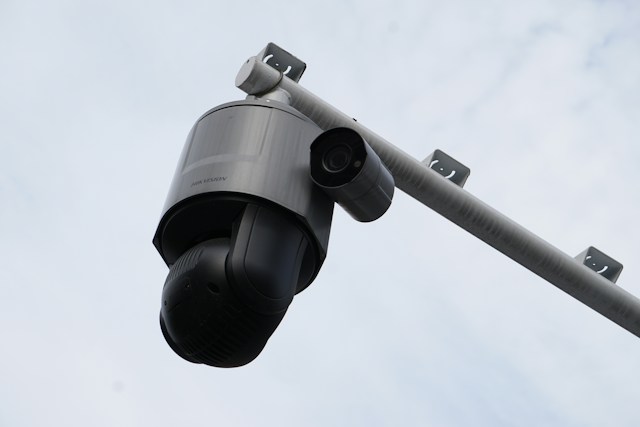
    PTZ (Pan-Tilt-Zoom) cameras allow remote or automated control of camera direction and zoom level. In a retail context, a staff member or security operator can pan across a large floor, tilt to focus on a specific shelf, or zoom in on a suspicious individual—all from a central monitoring station. Some advanced PTZ systems include auto-tracking, which follows a moving subject automatically without manual input.

    For most Singapore retail shops, a combination of fixed wide-angle cameras for general coverage and at least one or two PTZ units in high-risk areas delivers the best results.

    Feature 3: Night Vision and Low-Light Capability

    Singapore’s retail hours extend well into the evening, and many shops have inventory on the premises overnight. Cameras that perform poorly in low-light conditions leave your shop exposed during exactly the hours when staff density drops and opportunistic theft is most likely.

    Look for cameras with:

    • Infrared (IR) LEDs: The most common night-vision technology, providing black-and-white footage in complete darkness. Effective for stockrooms, back-of-house areas, and closed shops.
    • Color night vision: Newer technology that uses advanced image sensors to capture color footage in low-light conditions. Significantly more useful for identifying suspects, as clothing color is preserved.
    • Starlight sensors: Ultra-sensitive sensors that perform well in ambient urban light—relevant in Singapore’s well-lit commercial districts, where complete darkness is rare.

    For outdoor coverage—loading bays, car parks adjacent to the shop, or external signage areas—weather-resistant (IP66 or higher rated) cameras with strong low-light performance are essential.

    Feature 4: Remote Monitoring and Mobile Access

    One of the most practical upgrades in modern retail CCTV is the ability to monitor your shop from anywhere via a smartphone or tablet. Cloud-connected CCTV systems in Singapore allow owners and managers to view live feeds, review recorded footage, and receive instant alerts—all without being physically present.

    This capability matters for several reasons:

    • Multi-branch management: Owners operating more than one retail location can monitor all sites from a single app, rather than relying solely on in-store staff reports.
    • After-hours visibility: If a motion alert triggers at 2am, remote access lets you assess the situation immediately and contact authorities if needed—without waiting until morning.
    • Staff accountability: Remote visibility creates a culture of accountability among staff, which is a known deterrent for internal theft. According to the Association of Certified Fraud Examiners, employee theft accounts for a significant proportion of retail losses globally.

    When selecting a remote monitoring solution, prioritize systems with end-to-end encryption and two-factor authentication to protect your footage from unauthorized access.

    Feature 5: AI-Powered Video Analytics

    This is where modern retail CCTV systems separate themselves from traditional setups. AI-powered analytics transform passive recording into an active intelligence tool, capable of detecting and flagging behaviors automatically—without requiring a staff member to watch a screen all day.

    Key AI analytics features relevant to Singapore retail include:

    Behavior Detection and Anomaly Alerts

    AI systems can be trained to recognize behaviors associated with shoplifting—such as loitering in a specific aisle for an extended period, concealing an item, or moving in patterns inconsistent with regular shopping. When detected, the system sends an instant alert to staff or security personnel.

    People Counting and Footfall Analysis

    People counting cameras track how many customers enter and exit the shop over a given period. This data helps retailers identify peak traffic hours, optimize staff rostering, and measure the effectiveness of in-store promotions. It also helps identify unusual crowd patterns that might indicate a coordinated theft attempt.

    Heatmapping

    Heatmapping overlays anonymized movement data onto a floor plan to show which areas of the store attract the most foot traffic. Retailers use this to optimize product placement, improve store layout, and identify areas that might benefit from additional camera coverage or staff presence.

    Facial Recognition (with appropriate compliance)

    Some enterprise-grade retail CCTV systems in Singapore incorporate facial recognition to flag previously identified shoplifters upon re-entry. It is important to note that the use of facial recognition in commercial settings must comply with Singapore’s Personal Data Protection Act (PDPA). Retailers considering this feature should seek legal advice and implement clear signage and consent mechanisms.

    Feature 6: Integration with Other Security and Business Systems

    A standalone CCTV system is useful. A CCTV system that communicates with the rest of your security and operational infrastructure is significantly more powerful. Modern retail CCTV platforms in Singapore are increasingly designed for integration, connecting with:

    • Access control systems: Link camera feeds to entry points so that access events (a door opening after hours, for example) automatically trigger a recording or alert.
    • Point-of-sale (POS) systems: POS integration overlays transaction data onto camera footage, making it straightforward to cross-reference a suspicious refund or void transaction with the corresponding video. This is a particularly effective tool for identifying cashier fraud.
    • Alarm systems: When a perimeter alarm triggers, integrated CCTV systems can automatically direct the nearest PTZ camera to the alarm zone and begin recording at a higher frame rate.
    • Cloud storage and NVR systems: Network Video Recorders (NVRs) combined with cloud backup ensure footage is stored securely off-site, protecting it from physical damage, tampering, or theft of the recording device itself.

    Choosing the Right Retail CCTV System for Your Singapore Shop

    The right system depends on your shop’s size, layout, foot traffic volume, and budget. A small boutique may need as few as four to six cameras with remote access and basic analytics. A large electronics retailer or pharmacy chain may require a fully integrated system with AI analytics, PTZ coverage, and POS integration across multiple branches.

    When sourcing a retail CCTV system in Singapore, work with a licensed and accredited security provider. The Security Industry Regulatory Department (SIRD) under Singapore’s Ministry of Home Affairs regulates the security industry, and choosing a licensed provider ensures you receive compliant, professionally installed equipment.

    Request a site assessment before committing to any system. A qualified technician should walk your premises, identify blind spots, assess lighting conditions, and recommend a camera layout tailored to your specific environment—not a one-size-fits-all package.

    Frequently Asked Questions About Retail CCTV in Singapore

    How many CCTV cameras does a typical retail shop in Singapore need?
    The number depends on your shop’s floor area and layout. As a general guide, small shops under 50 square meters may need four to six cameras, while larger retail spaces benefit from eight or more, supplemented by at least one PTZ unit in high-traffic or high-risk zones.

    Is it legal to install CCTV cameras in a retail shop in Singapore?
    Yes. Retailers are permitted to install CCTV in public-facing areas of their premises. Cameras must not be installed in areas where individuals have a reasonable expectation of privacy, such as changing rooms or restrooms. Signage informing customers that CCTV is in operation is strongly recommended under PDPA guidelines.

    How long should retail CCTV footage be stored?
    Singapore does not mandate a specific minimum retention period for commercial CCTV footage, but a 30-day storage window is a widely observed industry standard. High-value retail environments often retain footage for 60 to 90 days.

    What is the difference between cloud storage and a local NVR for CCTV footage?
    A Network Video Recorder (NVR) stores footage locally on a physical device in your premises. Cloud storage sends footage to secure off-site servers. Many retailers use a hybrid approach—local NVR for fast access and cloud backup for redundancy and protection against on-site tampering or theft.

    Can retail CCTV help reduce my business insurance premiums in Singapore?
    Some insurers do factor CCTV coverage into commercial property and contents insurance pricing. It is worth discussing your security setup with your insurer, as a well-documented CCTV system may support a premium reduction or a more favorable claims outcome.

  • 5 Signs Your Business Is Ready for DPO as a Service

    5 Signs Your Business Is Ready for DPO as a Service

    TL;DR: DPO as a Service gives businesses access to a qualified Data Protection Officer without the cost of a full-time hire. If your company is handling more personal data, facing regulatory pressure, or scaling quickly, outsourcing your DPO function may be the smartest compliance move you can make.

    Data privacy used to be a niche concern—something for banks and hospitals to worry about. Not anymore. Since the General Data Protection Regulation (GDPR) took effect in 2018, organizations of all sizes have had to rethink how they collect, store, and manage personal data. For many, that means appointing a Data Protection Officer (DPO).

    But here’s the challenge: a qualified, experienced DPO doesn’t come cheap. Full-time salaries can exceed $120,000 per year, and finding someone with the right blend of legal, technical, and organizational expertise is no small feat. That’s where DPO as a Service comes in.

    DPO as a Service allows businesses to outsource the DPO function to an external provider—gaining access to certified privacy expertise on a flexible, cost-effective basis. Rather than hiring in-house, you engage a third-party specialist (or team) who fulfills all statutory DPO obligations on your behalf.

    The question is: is your business ready to make the switch? Below are five clear signs that DPO as a Service is the right fit for where your organization is today.

    What Does a DPO Actually Do—and Why Does It Matter?

    Before diving into the signs, it helps to understand what a DPO is responsible for. Under Article 37 of the GDPR, certain organizations are legally required to appoint a DPO. This includes public authorities, organizations that process personal data on a large scale, and those that systematically monitor individuals.

    A DPO’s core responsibilities include:

    • Advising the organization on data protection obligations
    • Monitoring compliance with GDPR and other applicable regulations
    • Serving as the point of contact for supervisory authorities
    • Overseeing Data Protection Impact Assessments (DPIAs)
    • Training staff and raising internal awareness

    Failing to appoint a DPO as a service when required—or appointing someone without the necessary expertise—can result in significant fines. Under the GDPR, penalties can reach up to €20 million or 4% of global annual turnover, whichever is higher.

    With that context in mind, let’s look at the five signs your business is ready to consider DPO as a Service.

    Sign 1: You’re Legally Required to Have a DPO—But Haven’t Appointed One Yet

    This is the most straightforward sign of all. If your organization falls under GDPR Article 37 and you don’t currently have a qualified DPO in place, you’re already non-compliant.

    Many small and mid-sized businesses assume the DPO requirement only applies to large corporations. That’s a costly misconception. A regional healthcare provider processing patient data, a SaaS platform tracking user behavior, or a recruitment firm maintaining candidate profiles—all of these may trigger the obligation to appoint a DPO.

    DPO as a Service resolves this quickly. External providers can often onboard within days, giving your business immediate compliance coverage while you assess longer-term needs.

    How do you know if you’re legally required to appoint a DPO?

    Ask yourself three questions:

    1. Are you a public authority or body?
    2. Do you carry out large-scale, systematic monitoring of individuals (e.g., behavioral tracking, CCTV surveillance)?
    3. Do you process special categories of data—such as health records, biometric data, or criminal convictions—on a large scale?

    If you answered yes to any of these, a DPO is likely mandatory. Even if the requirement isn’t clear-cut, a privacy consultant can help you assess your obligations before a regulator does.

    Sign 2: Your Business Is Scaling Faster Than Your Compliance Function

    Rapid growth is exciting. It’s also one of the fastest ways to accumulate data privacy risk.

    As your customer base grows, so does the volume and variety of personal data you collect. New markets may bring new regulatory requirements—CCPA in California, LGPD in Brazil, PIPEDA in Canada. New products may introduce new data flows. New employees mean new insider risk.

    A compliance function that worked fine at 20 employees often buckles under the pressure of 200. If your legal or IT team is already stretched thin, data protection can slip through the cracks—sometimes without anyone noticing until a regulator comes knocking.

    DPO as a Service scales with your business. You pay for the level of support you need, and you can adjust as your compliance requirements evolve. There’s no need to hire a full-time DPO prematurely, and no risk of being caught underprepared as you grow.

    What are the data privacy risks of scaling without a DPO?

    The risks are significant. Without dedicated oversight, businesses often fall short in these key areas:

    • Data mapping: Not knowing what personal data you hold, where it lives, or who can access it
    • Vendor management: Failing to conduct proper due diligence on third-party processors
    • Breach response: Lacking a clear protocol for identifying and reporting data breaches within the GDPR’s 72-hour window
    • Consent management: Collecting data without a lawful legal basis

    Each of these gaps is a potential enforcement action waiting to happen.

    Sign 3: You’ve Experienced a Data Breach—or a Near Miss

    A data breach is a wake-up call. A near miss is an opportunity to act before the damage is done.

    According to IBM’s Cost of a Data Breach Report 2023, the global average cost of a data breach reached $4.45 million—the highest figure ever recorded. Beyond the financial hit, breaches damage customer trust in ways that are difficult to quantify and even harder to repair.

    If your organization has recently experienced a breach, or if an internal audit has revealed serious vulnerabilities, that’s a clear signal that your current data protection setup isn’t working. Appointing an experienced DPO—even on an outsourced basis—can help you implement the controls and processes needed to reduce your risk profile.

    An external DPO brings something a newly hired internal candidate often can’t: immediate expertise. They’ve managed breach responses before. They know how to communicate with supervisory authorities. They understand what regulators look for—and what they don’t.

    What should a business do immediately after a data breach?

    The GDPR requires organizations to report personal data breaches to the relevant supervisory authority within 72 hours of becoming aware of them, where feasible. If the breach is likely to result in a high risk to individuals, those individuals must also be notified without undue delay.

    A DPO—whether in-house or outsourced—plays a central role in managing this process, assessing the severity of the breach, and ensuring all reporting obligations are met on time.

    Sign 4: Privacy Is Starting to Affect Your Sales and Partnerships

    Data privacy is no longer just a compliance concern—it’s a business development issue.

    Enterprise clients routinely send vendor security questionnaires before signing contracts. Procurement teams ask about your data protection practices. Potential partners want to see your privacy policy, your data processing agreements, and evidence that you take compliance seriously. Increasingly, they want to speak with your DPO directly.

    If deals are stalling because you can’t demonstrate credible data protection governance, DPO as a Service can help you close that gap. An external DPO gives your organization a named, qualified point of contact—someone who can engage with client legal teams, sign off on data processing agreements, and represent your compliance posture credibly.

    This matters especially for businesses selling into regulated industries like financial services, healthcare, and government. In these sectors, demonstrating robust data protection isn’t optional—it’s a prerequisite for doing business.

    Sign 5: You’re Entering New Markets With Different Privacy Regulations

    Expanding into new geographies is one of the most common triggers for outsourced DPO arrangements. Privacy laws vary significantly from one jurisdiction to the next, and what’s compliant in one market may be inadequate—or outright illegal—in another.

    The GDPR governs the European Economic Area. The UK GDPR applies post-Brexit. Brazil’s LGPD, Canada’s PIPEDA, and various US state laws like the CCPA and Virginia’s CDPA each have their own requirements. Keeping up with this shifting landscape while running a business is a significant ask of any internal team.

    DPO as a Service providers typically have multi-jurisdictional expertise. Rather than hiring separate compliance specialists for each market you enter, you gain access to a team that can advise on cross-border data transfers, local regulatory requirements, and how to build a privacy program that works globally.

    Which privacy regulations apply if your business operates across multiple countries?

    The answer depends on where your customers are located, not just where your business is incorporated. If you offer goods or services to individuals in the EU, or monitor their behavior, GDPR applies—regardless of where your company is based. Similarly, California’s CCPA applies to businesses meeting certain thresholds that collect personal information from California residents.

    A qualified DPO (or DPO as a Service provider) can conduct a regulatory mapping exercise to clarify exactly which laws apply to your operations and where your compliance gaps lie.

    Is DPO as a Service Right for Every Business?

    Not necessarily. For very large organizations with complex, high-volume data processing operations, a dedicated in-house DPO may be more appropriate. The GDPR requires that the DPO be easily accessible to employees, data subjects, and supervisory authorities—and for some organizations, that means having someone physically present.

    That said, DPO as a Service is a strong fit for:

    • SMEs that are legally required to appoint a DPO but can’t justify the cost of a full-time hire
    • Startups scaling quickly and entering regulated markets
    • Organizations in transition—post-merger, post-breach, or mid-digital transformation
    • Businesses entering the EU, UK, or other heavily regulated markets for the first time

    The key is to choose a provider with the right sectoral expertise, a track record of regulatory engagement, and the capacity to act as a genuine strategic partner—not just a box-ticking exercise.

    Take the Next Step Toward Compliant, Confident Data Governance

    Data protection isn’t going away. If anything, regulatory scrutiny is increasing, consumer expectations around privacy are rising, and the cost of getting it wrong continues to climb. The five signs outlined above—legal obligation, rapid growth, breach history, sales friction, and market expansion—are all signals that it’s time to get serious about your DPO function.

    DPO as a Service offers a practical, scalable path forward. Rather than waiting until a regulator forces the issue, proactive businesses are using outsourced DPO arrangements to build genuine compliance programs that protect their customers, their reputation, and their bottom line.

    If any of the signs in this post sound familiar, the next step is straightforward: speak with a qualified data protection specialist to assess your current obligations and identify where the gaps are. The sooner you act, the more options you have.

    Frequently Asked Questions

    What is DPO as a Service, and how does it work?

    DPO as a Service is an outsourced arrangement in which a business engages an external provider to fulfill the role of Data Protection Officer. The external DPO takes on all statutory responsibilities under the GDPR—including compliance monitoring, staff training, supervisory authority liaison, and DPIA oversight—without being employed full-time by the organization.

    Is DPO as a Service legally compliant under GDPR?

    Yes. Article 37(6) of the GDPR explicitly states that a DPO may be an external service provider. The DPO must still meet all qualification requirements, maintain independence, and have sufficient resources to perform the role effectively.

    How much does DPO as a Service typically cost?

    Pricing varies based on the size of the organization, the complexity of data processing activities, and the level of support required. Many providers offer tiered packages ranging from a few hundred to several thousand dollars per month—significantly less than the cost of a full-time DPO hire.

    Can a startup use DPO as a Service?

    Yes, and many do. Startups are often legally required to appoint a DPO before they have the resources or need to hire one full-time. DPO as a Service gives early-stage companies immediate compliance coverage while keeping overhead costs manageable.

    What’s the difference between a DPO and a privacy consultant?

    A DPO is a specific statutory role with defined responsibilities under the GDPR. A privacy consultant provides advisory services but does not necessarily fulfill the formal DPO function. If your organization is legally required to appoint a DPO, hiring a general privacy consultant is not sufficient to meet that obligation.

    How quickly can a DPO as a Service provider be onboarded?

    Most providers can be onboarded within a matter of days, particularly for organizations that already have some compliance infrastructure in place. This makes DPO as a Service especially useful for businesses that have discovered a compliance gap and need to act quickly.


  • 9 Things to Know Before Hiring a Female Divorce Lawyer in Singapore

    9 Things to Know Before Hiring a Female Divorce Lawyer in Singapore

    TL;DR: Hiring a female divorce lawyer in Singapore involves more than gender preference—it requires evaluating specialization, communication style, fee structures, and cultural fit. This guide covers nine essential factors to help you make a confident, informed decision before signing a retainer.

    Divorce is rarely straightforward. Add Singapore’s specific legal framework—governed by the Women’s Charter and the Family Justice Courts—and the process becomes even more layered. Choosing the right lawyer can mean the difference between a drawn-out, emotionally exhausting battle and a resolution that protects your interests and your family’s future.

    Many individuals going through divorce actively seek out female lawyers. Some feel more comfortable discussing sensitive matters with a woman. Others believe female lawyers bring a particular empathy to proceedings involving children, domestic abuse, or financial vulnerability. Whatever your reason, the decision deserves careful thought beyond gender alone.

    This guide breaks down nine practical things you should know before hiring a female divorce lawyer in Singapore—from understanding how local divorce law works to spotting red flags during your first consultation. Read on to make a decision you won’t regret.

    How Does Divorce Law Work in Singapore?

    Before evaluating any lawyer, it helps to understand the legal landscape they’ll be navigating on your behalf.

    Divorce in Singapore is governed primarily by the Women’s Charter (Cap. 353) for civil marriages, and by the Administration of Muslim Law Act (AMLA) for Muslim marriages, which are handled separately through the Syariah Court. The sole ground for divorce under the Women’s Charter is the irretrievable breakdown of marriage, which must be proven through one of five facts: adultery, unreasonable behavior, desertion, three years’ separation with consent, or four years’ separation without consent.

    Family Justice Courts handle all divorce-related proceedings, including ancillary matters such as division of matrimonial assets, child custody, care and control, access arrangements, and maintenance. Understanding this structure helps you ask better questions when interviewing potential lawyers.

    1. Specialization Matters More Than Gender

    A lawyer’s gender is one factor—their area of expertise is another entirely. Family law in Singapore is a specialized field, and not every lawyer who handles divorce cases does so with the same depth of knowledge.

    Look for a lawyer who focuses primarily or exclusively on family law. Lawyers who split their practice across criminal law, conveyancing, and corporate matters may lack the nuanced experience that complex divorces demand. Ask directly: what percentage of your caseload involves family law matters?

    Membership in the Family Law Practice Committee of the Law Society of Singapore or accreditation as a Collaborative Family Lawyer are positive indicators of specialization and commitment to the field.

    2. Understand the Difference Between Contested and Uncontested Divorce

    Your legal needs—and your budget—depend heavily on which type of divorce you’re facing.

    An uncontested divorce means both parties agree on the facts of the divorce and all ancillary matters. These cases move faster, cost less, and are generally resolved within four to six months in Singapore.

    A contested divorce means one or more issues are disputed—whether that’s the grounds for divorce itself, custody arrangements, or the division of assets. These cases can take one to three years or longer, especially when significant matrimonial assets are involved.

    A good female divorce lawyer will assess your situation honestly and tell you which category you’re likely in. Be wary of any lawyer who promises a quick resolution for a clearly contentious case.

    3. Ask About Her Experience With Cases Similar to Yours

    Two divorces are rarely alike. A case involving high-net-worth assets, overseas property, and business valuations is fundamentally different from one centered on child custody and spousal maintenance.

    Before committing, ask the lawyer whether she has handled cases with circumstances similar to yours. Relevant experience might include:

    • Cross-border asset division or international custody disputes
    • Cases involving family violence or Personal Protection Orders (PPOs)
    • Divorces where one party owns a business or significant investment portfolio
    • Proceedings under the Syariah Court (for Muslim marriages)

    Experience in your specific situation means the lawyer is less likely to encounter surprises—and more likely to anticipate the other side’s strategy.

    4. Evaluate Communication Style Early

    Divorce proceedings can span months or years. During that time, you’ll rely on your lawyer for updates, advice, and emotional steadiness. Poor communication from a legal representative doesn’t just cause frustration—it can lead to missed deadlines, misunderstood instructions, and poor outcomes.

    During your initial consultation, pay attention to:

    • Clarity: Does she explain legal concepts in plain language, or does she speak in jargon without checking for understanding?
    • Responsiveness: How quickly did her office respond when you reached out to schedule the meeting?
    • Listening: Does she ask questions and listen carefully, or does she jump to generic advice before understanding your situation?

    Many law firms in Singapore offer a first consultation for a fixed fee or sometimes free of charge. Use this meeting not just to gather information, but to assess whether this is someone you can work with under pressure.

    5. Understand How Legal Fees Are Structured in Singapore

    Legal fees in Singapore vary widely depending on the complexity of the case, the lawyer’s seniority, and the law firm’s profile. There is no fixed government-mandated fee schedule for divorce matters, which makes transparency essential.

    Most family lawyers in Singapore bill in one of three ways:

    • Hourly rates: Common for contested matters. Rates for experienced family lawyers typically range from SGD $300 to $700 per hour, though senior partners at top-tier firms may charge more.
    • Fixed fees: Often used for straightforward, uncontested divorces where the scope of work is predictable.
    • Retainer arrangements: You pay an upfront sum, which is drawn down as work is completed.

    Ask for a detailed breakdown of anticipated costs and a clear explanation of what is and isn’t included. Disbursements—court filing fees, process server charges, and other out-of-pocket expenses—are typically billed separately and can add up quickly in contested cases.

    6. Consider Whether Her Approach Matches Your Goals

    Not every divorce requires an adversarial approach. Some cases benefit from collaborative law or mediation, which prioritize negotiated settlements over courtroom battles. Others demand a firm, litigation-ready stance from day one.

    Singapore’s Family Justice Courts actively encourage parties to attempt mediation through the Family Dispute Resolution (FDR) process before contested hearings proceed. A lawyer who is familiar with—and skilled in—both mediation and litigation gives you more options.

    Ask the lawyer how she typically approaches cases like yours. Does she lean toward negotiation, or is her default mode to prepare for trial? Neither is inherently better, but her approach should align with your priorities, whether that’s minimizing conflict for the children’s sake or protecting your financial interests aggressively.

    7. Check Her Standing and Track Record

    Singapore’s legal profession is regulated by the Law Society of Singapore and the Supreme Court. You can verify whether a lawyer holds a valid Practising Certificate through the Ministry of Law’s online directory at minlaw.gov.sg.

    Beyond verification, look for:

    • Client reviews: Google reviews and legal directories like Asia Law Profiles or Chambers Asia-Pacific can provide insight into how clients and peers perceive her work.
    • Publications or speaking engagements: Lawyers who contribute to legal commentary or speak at family law seminars often demonstrate a deeper engagement with their field.
    • Referrals: Personal referrals from trusted friends, colleagues, or other professionals—such as therapists or financial advisors who work with divorcing individuals—carry significant weight.

    A track record isn’t just about winning cases. It’s about how a lawyer manages client relationships, meets deadlines, and handles the unexpected.

    8. Be Honest About What You Need Emotionally

    Some clients need a lawyer who is warm, patient, and willing to spend extra time explaining each step. Others prefer a direct, no-nonsense professional who keeps meetings efficient and focuses purely on strategy. Both are valid preferences—and both types of lawyers exist.

    The challenge is that divorce triggers strong emotions even in people who consider themselves rational. Grief, anger, fear, and guilt can all surface unexpectedly. A lawyer who doesn’t acknowledge the emotional dimension of the process may leave you feeling unsupported at critical moments.

    That said, your lawyer is not your therapist. Many clients find it helpful to work with a counselor or therapist alongside their legal representation. This keeps your legal consultations focused and cost-effective, while ensuring your emotional needs are also met.

    9. Watch for These Red Flags During Your Consultation

    Not every lawyer is the right lawyer—regardless of their credentials. Here are warning signs worth taking seriously:

    • Guaranteed outcomes: No ethical lawyer can promise a specific result. Singapore courts have broad discretion in dividing assets and determining custody arrangements.
    • Pressure to sign immediately: Reputable lawyers give you time to consider the engagement. Pressure tactics suggest the firm values billing over your best interests.
    • Vague answers about fees: If a lawyer can’t give you a reasonably clear estimate or explain how billing works, expect billing disputes later.
    • Dismissiveness about your concerns: If your questions are brushed aside in the first meeting, they’ll likely be brushed aside throughout the engagement.
    • Overconfidence: Lawyers who speak dismissively about judges, opposing counsel, or the legal process may be performing confidence rather than demonstrating competence.

    Trust your instincts. If something feels off in the consultation, it probably is.

    Making the Right Choice for Your Situation

    Hiring a female divorce lawyer in Singapore is a meaningful, personal decision—and there is no universal right answer. The best lawyer for you is one who combines relevant expertise with a communication style that works for your personality, a fee structure that fits your budget, and an approach that aligns with your goals.

    Take your time. Meet with two or three lawyers before deciding. Bring a list of questions to each consultation, and take notes afterward so you can compare your impressions clearly.

    Divorce marks the end of one chapter and the beginning of another. The lawyer you choose will play a significant role in how that transition unfolds. Choose thoughtfully.

    Frequently Asked Questions

    Is it better to hire a female lawyer for a divorce case in Singapore?
    There is no objective advantage based on gender alone. Many clients prefer female lawyers because they find it easier to discuss sensitive personal matters with them. What matters most is the lawyer’s specialization, experience, and communication style—not gender.

    How much does a divorce lawyer cost in Singapore?
    Costs vary significantly. An uncontested divorce handled by a mid-tier law firm may cost between SGD $1,500 and $3,500 in total. Contested divorces are billed hourly and can cost SGD $10,000 to $50,000 or more, depending on complexity and duration.

    How long does a divorce take in Singapore?
    An uncontested divorce typically takes three to six months. A contested divorce, particularly one involving disputes over assets or child custody, can take one to three years or longer.

    Can I change my divorce lawyer if I’m unhappy with them?
    Yes. You have the right to change legal representation at any stage of the proceedings. However, changing lawyers mid-case can cause delays and increase costs, so it’s worth making a careful choice from the outset.

    What is the difference between care and control and joint custody in Singapore?
    In Singapore, custody refers to the right to make major decisions about a child’s upbringing—education, religion, and medical care. Care and control refers to which parent the child lives with day-to-day. Courts typically grant joint custody to both parents while awarding sole care and control to one parent.

    Do I need a lawyer for an uncontested divorce in Singapore?
    Legally, you can represent yourself (in person) in an uncontested divorce. However, even in straightforward cases, legal guidance ensures the divorce order and ancillary orders are correctly drafted and enforceable. Mistakes in documentation can have long-term consequences.


  • Why Animations Are Winning Attention When Static Content Gets Ignored

    Why Animations Are Winning Attention When Static Content Gets Ignored

    TL;DR: Animations outperform static content because they trigger involuntary attention responses in the human brain. Moving visuals are processed faster, retained longer, and drive higher engagement across social media, websites, and digital ads—making animation one of the most effective tools in a modern content strategy.

    Scroll through any social media feed right now and notice what stops your thumb. It probably isn’t a perfectly designed static graphic. It’s something that moves—a looping product demo, a character that blinks, a chart that builds itself bar by bar. That split-second pause is not an accident. It’s biology.

    Static content still has its place, but the numbers tell a clear story: animated and video content consistently outperforms still images across virtually every digital platform. According to Wyzowl’s 2024 State of Video Marketing report, 89% of consumers say watching a video has convinced them to buy a product or service. Meanwhile, HubSpot found that social media posts with motion generate up to three times more inbound links than text or image-based posts.

    So what’s actually happening when someone stops to watch? And how can content creators, marketers, and brand teams use this to their advantage? This post breaks it all down—from the neuroscience behind why motion commands attention, to the practical ways animated content is reshaping strategy across industries.

    How Does the Human Brain Respond to Motion?

    To understand why animation works, start with how the brain is wired. Humans evolved in environments where movement meant something important—a predator, a food source, another person. The visual cortex developed a hair-trigger response to motion as a survival mechanism. That response hasn’t changed, even though the context has shifted from savanna to smartphone.

    When something moves within your field of vision, your brain processes it automatically and without effort. This is known as bottom-up attention processing—the stimulus captures attention before conscious thought even kicks in. Static images, by contrast, require top-down processing. Your brain has to decide to engage with them. That’s a significant difference, especially on platforms where users are passively scrolling.

    This biological reality gives animated content a structural advantage before a single creative decision is made.

    What role does peripheral vision play in animation’s effectiveness?

    Peripheral vision amplifies the effect further. Even when users aren’t looking directly at an animated element, their peripheral vision detects it. The brain interprets motion at the edges of the visual field as potentially significant, triggering a reflexive shift in focus. For content marketers, this means an animated thumbnail or banner ad can capture attention even when a user isn’t actively searching for it.

    Why Static Content Is Struggling to Cut Through

    Static content hasn’t gotten worse—the competition around it has gotten dramatically better. Digital platforms now serve users thousands of visual impressions per day. The result is a form of visual fatigue where well-designed static graphics blend into the background, regardless of how polished they are.

    Research from Microsoft has suggested that the average human attention span online has shortened significantly over the past decade. Users make snap judgments about whether content is worth their time, often within 0.05 seconds of seeing it, according to a study published by the Missouri University of Science and Technology. Static images have one frame to make that case. Animations have the advantage of delivering a narrative within that same window.

    There’s also a novelty factor. The brain releases small amounts of dopamine when it encounters something unexpected or engaging. Motion and animation trigger this response more reliably than static imagery because they introduce change over time. A static graphic presents everything at once; animation unfolds, creating anticipation and reward.

    Where Animated Content Is Winning: Platform-by-Platform

    How are brands using animation on social media?

    On platforms like Instagram, TikTok, LinkedIn, and X (formerly Twitter), motion is practically a prerequisite for visibility. Instagram’s algorithm has long favored Reels over static posts. LinkedIn reports that video content generates five times more engagement than static posts on its platform. TikTok, of course, is built entirely around motion.

    Brands that have shifted their social media strategy toward animated content—even simple looping graphics or kinetic typography—report measurable improvements in reach and engagement. Shopify, for example, has publicly noted that product videos and animated demos consistently outperform static product photography in their merchant storefronts.

    Do animated ads outperform static ads in paid campaigns?

    The data strongly supports animation from DMP in paid advertising. According to Google, adding motion to display ads can increase click-through rates by up to 5x compared to static equivalents. Facebook’s internal research has found similar trends—ads with motion see notably higher video views, engagement rates, and conversion rates than still-image alternatives.

    Animated ads also allow advertisers to communicate more information in less time. A 6-second animated ad can showcase a product feature, convey a brand personality, and include a call to action—something a single static image struggles to achieve with the same efficiency.

    How is animation improving website UX and conversion rates?

    On websites, animation serves both aesthetic and functional purposes. Micro-animations—small, subtle movements like a button that responds to a hover, a loading indicator, or a progress bar—signal to users that the interface is responsive and alive. According to UX research from the Nielsen Norman Group, well-implemented micro-animations improve perceived performance and reduce user frustration.

    More substantially, animated explainer videos on landing pages have been shown to increase conversion rates significantly. Unbounce found that including a video on a landing page can increase conversions by up to 80%. Much of this comes from animation’s ability to simplify complex information. A 90-second animated explainer can convey what 500 words of body copy cannot—clearly, memorably, and without demanding much from the reader.

    What Types of Animation Perform Best for Content Marketing?

    Not all animation is created equal. Different formats serve different strategic purposes, and understanding which to use—and when—matters as much as the decision to animate at all.

    Looping GIFs and cinemagraphs work well in email campaigns and social posts where autoplay video may not be supported. They’re subtle, low-bandwidth, and effective at drawing the eye.

    Kinetic typography—text that moves, scales, or transforms—is particularly effective for communicating short, punchy messages on social media. It combines the clarity of written language with the attention-grabbing properties of motion.

    Animated explainer videos suit top-of-funnel and mid-funnel content. They’re effective for introducing a product, explaining a process, or walking a viewer through a concept that would take considerable reading to absorb through text alone.

    Data animations and motion graphics are gaining traction in B2B content marketing. A chart that animates as data builds across it is significantly more engaging than a static infographic, and research from the Proceedings of the National Academy of Sciences suggests that animated data visualizations improve comprehension and recall.

    Character animations and branded mascots are resurging as brands look for ways to humanize digital experiences. Movement adds personality and emotional warmth that static illustrations simply cannot replicate.

    Is Animation Too Expensive or Complex for Smaller Teams?

    This is one of the most common objections—and it’s becoming less valid by the day. Tools like Adobe After Effects and Cinema 4D remain industry standards for high-production animation, but a wave of accessible platforms has opened the medium to teams of all sizes.

    Canva now includes animation features that allow non-designers to create looping graphics and animated presentations in minutes. Lottie Files lets developers integrate lightweight, scalable animations directly into websites and apps without heavy loading times. CapCut and Adobe Express bring motion to social media content creation without requiring animation expertise.

    For teams with budget to invest, dedicated animation studios and freelance animators on platforms like Dribbble or Behance can produce professional-quality work at a range of price points. The cost of animation has dropped substantially over the past five years, making it accessible at almost every stage of company growth.

    The real barrier for most teams isn’t cost or tools—it’s workflow. Building animation into a content strategy requires planning ahead: scripting, storyboarding, and allocating production time. Teams that treat animation as an afterthought often produce content that doesn’t perform. Teams that build motion into their creative process from the start consistently see stronger results.

    The Accessibility Consideration

    One important caveat: animation must be implemented responsibly. For users with vestibular disorders, photosensitive epilepsy, or attention-related conditions, excessive or aggressive motion can cause genuine discomfort or harm. The Web Content Accessibility Guidelines (WCAG) recommend providing users with the ability to pause, stop, or hide any animation that plays for more than five seconds.

    Responsible animation practice doesn’t diminish effectiveness—it broadens it. Designing with accessibility in mind ensures that animated content reaches more people, not fewer.

    Making the Case for Motion in Your Content Strategy

    The evidence points in one direction. Animation commands attention at the neurological level, outperforms static content across platforms and formats, and is increasingly accessible to teams at every scale. The question for content creators and marketers isn’t really whether to use animation—it’s how to use it well.

    Start with your highest-traffic touchpoints: your landing page, your most-shared social formats, your email campaigns. Introduce motion where users are already paying attention, and measure the impact. Test looping headers against static ones. Swap a static social graphic for a short animated version. Let the data guide your next step.

    Static content built the early web. Animation is building what comes next.


    Frequently Asked Questions

    Why do animations get more attention than static images?

    Animations trigger bottom-up attention processing in the brain—an automatic, involuntary response to motion that evolved as a survival mechanism. Static images require conscious effort to engage with. This neurological difference gives animated content a measurable advantage in environments where users are passively scrolling or scanning.

    What is the best type of animation for social media content marketing?

    For social media, looping GIFs, cinemagraphs, and short animated clips (under 15 seconds) tend to perform best. On platforms like TikTok and Instagram Reels, short-form video with motion graphics or kinetic typography consistently drives higher engagement than static alternatives. The optimal format depends on your platform, audience, and message.

    Are animated ads more effective than static ads?

    Yes, in most contexts. According to Google, animated display ads can generate click-through rates up to five times higher than static equivalents. Facebook’s internal research also supports the finding that ads with motion drive higher engagement and conversion rates than static image ads.

    How much does it cost to create animated content?

    Costs vary widely. Free and low-cost tools like Canva, CapCut, and LottieFiles allow teams to create basic animations without design expertise. Professional animation studios or experienced freelance animators charge more, but rates have declined significantly over the past five years. The appropriate investment depends on the complexity of the animation and how central it is to your campaign.

    Is animation accessible to all users?

    Not by default—but it can be made accessible. Excessive or rapid motion can cause discomfort for users with vestibular disorders or photosensitive epilepsy. The Web Content Accessibility Guidelines (WCAG) recommend allowing users to pause, stop, or hide animations that play for more than five seconds. Following these guidelines ensures your animated content is inclusive and reaches a wider audience.

    Does adding animation to a landing page actually improve conversions?

    Research from Unbounce suggests that including video (including animated explainer content) on a landing page can increase conversions by up to 80%. Animated content helps simplify complex messages and maintains viewer attention longer than static text or images, which contributes to better conversion performance.


  • The Hidden IT Problems That Managed IT Services Can Prevent

    The Hidden IT Problems That Managed IT Services Can Prevent

    TL;DR: Most IT failures aren’t dramatic crashes—they’re quiet, slow-burning issues that go unnoticed until they cause real damage. Managed IT services work proactively to detect and fix these hidden problems before they escalate, saving businesses time, money, and significant operational disruption.

    Your business probably has an IT problem right now. You just don’t know it yet.

    That’s not alarmism—it’s a reflection of how most technology failures actually unfold. They rarely announce themselves with flashing alerts or immediate system crashes. Instead, they simmer quietly in the background: a misconfigured firewall, a server running at 94% capacity, an employee reusing the same password across six platforms. By the time these issues surface visibly, the damage is already done.

    This is precisely the gap that managed IT services are built to close. Rather than responding to fires after they start, a managed service provider (MSP) monitors, maintains, and optimizes your infrastructure continuously—catching the problems most internal teams simply don’t have the bandwidth to see.

    This post breaks down the most common hidden IT problems that businesses overlook, explains why they’re so dangerous, and shows how managed IT services prevent them before they become costly crises.

    What makes an IT problem “hidden”?

    A hidden IT problem is any technical issue that doesn’t produce obvious, immediate symptoms—but degrades your systems, security posture, or performance over time. These aren’t always obscure or complex. Many are surprisingly mundane.

    The challenge is that most businesses operate reactively. IT gets attention when something breaks. But the vulnerabilities that cause the biggest disruptions are usually ones that existed long before the outage, the breach, or the data loss event. Without continuous monitoring and expertise, they go undetected for months—or years.

    What hidden IT problems do managed services typically prevent?

    Unpatched software and firmware vulnerabilities

    Software patches exist for a reason. When vendors release updates, they’re often closing security gaps that cybercriminals are already aware of and actively exploiting. The 2017 WannaCry ransomware attack—which affected over 200,000 systems across 150 countries—exploited a Windows vulnerability for which a patch had already been available for two months. Organizations that hadn’t applied the update paid the price.

    Patch management sounds simple in theory. In practice, keeping every application, operating system, and piece of firmware consistently updated across an entire organization is a full-time job. Managed IT services handle this automatically, ensuring your systems are always running the latest, most secure versions.

    Shadow IT and unauthorized applications

    Employees install tools they find useful. A team starts using a free file-sharing app. A developer spins up a cloud instance without notifying anyone. A salesperson stores client data in a personal Dropbox account. None of it is malicious—but all of it creates risk.

    Shadow IT—technology used within an organization without IT department approval—introduces unmonitored endpoints, unsecured data flows, and compliance gaps. According to Gartner, shadow IT can account for 30% to 40% of IT spending in large enterprises, most of it invisible to the people responsible for managing security.

    Managed IT service providers implement network monitoring and asset discovery tools that identify unauthorized devices and applications operating within your environment. When shadow IT surfaces, it can be assessed, governed, or removed before it creates a liability.

    Gradual network performance degradation

    Networks slow down for all sorts of reasons: bandwidth congestion, misconfigured routers, outdated hardware, growing traffic volumes that outpace infrastructure. Each of these degrades performance incrementally—so gradually that users adapt to it without realizing how much productivity they’re losing.

    Studies from Ponemon Institute have found that unplanned downtime costs businesses an average of $9,000 per minute. But even sub-downtime sluggishness has a real cost. When employees spend 10 extra seconds per task waiting on slow systems—multiplied across hundreds of people, thousands of tasks—the cumulative drag on output is significant.

    MSPs use continuous network monitoring to track performance baselines and detect anomalies early. Bandwidth bottlenecks, latency spikes, and hardware degradation get flagged before they cascade into outages.

    Misconfigured cloud environments

    Cloud adoption has accelerated rapidly, but misconfiguration remains the leading cause of cloud security incidents. Misconfigured storage buckets, overly permissive access controls, and exposed APIs are among the most common culprits—and they’re notoriously easy to overlook.

    IBM’s Cost of a Data Breach Report 2023 identified cloud misconfigurations as a significant contributor to breaches that cost organizations an average of $4.45 million per incident. The irony is that many of these misconfigurations are simple to fix once identified. The problem is identifying them in the first place.

    Managed IT services include cloud security reviews and configuration audits as part of ongoing infrastructure management. MSPs apply frameworks like CIS Benchmarks and vendor-specific best practices to ensure your cloud environments are locked down correctly.

    Weak identity and access management (IAM)

    Access control is one of the most consistently underestimated areas of IT security. Employees leave and their accounts remain active. Former contractors retain VPN credentials. Users accumulate permissions over time that far exceed what their roles require—a phenomenon called privilege creep.

    Each of these represents an open door. The 2023 Verizon Data Breach Investigations Report found that compromised credentials were involved in 49% of breaches. Strong identity and access management—including multi-factor authentication, regular access reviews, and the principle of least privilege—dramatically reduces this attack surface.

    MSPs enforce IAM policies systematically. They conduct periodic access audits, automate offboarding workflows, and ensure MFA is deployed consistently across your organization.

    Backup systems that don’t actually work

    Most businesses believe they have a backup system. Fewer regularly verify that their backups are complete, current, and actually restorable. The distinction matters enormously when a ransomware attack or hardware failure forces you to rely on them.

    A 2021 study by Veeam found that 58% of backups fail to complete successfully, and 25% of recovery tests fail as well. A backup that can’t be restored isn’t a backup—it’s a false sense of security.

    Managed IT services don’t just configure backups; they test them. Regular restore drills confirm that your recovery point objectives (RPO) and recovery time objectives (RTO) are achievable in practice, not just in planning documents.

    End-of-life hardware and software running in production

    Aging infrastructure is a hidden problem that compounds over time. Hardware running past its recommended lifespan becomes less reliable and more expensive to maintain. Software past its end-of-life date no longer receives security patches, leaving it permanently vulnerable.

    Yet many businesses continue running end-of-life systems—often because they’re not aware of the risk, or because replacing them feels like a project for “later.” Windows 7, for instance, reached end-of-life in January 2020, but continued to run on millions of business endpoints well into the following years.

    MSPs maintain hardware and software inventories with lifecycle tracking, flagging assets approaching end-of-life and helping organizations plan transitions before they become emergencies.

    Compliance gaps that accumulate quietly

    Regulatory compliance isn’t a one-time checkbox. Requirements under frameworks like HIPAA, GDPR, SOC 2, and PCI DSS evolve, and maintaining compliance requires ongoing attention. Organizations that fall out of compliance don’t always realize it until an audit or incident surfaces the gap.

    Penalties for non-compliance can be severe. GDPR violations can result in fines of up to 4% of annual global turnover. HIPAA violations carry penalties up to $1.9 million per violation category per year.

    Managed IT service providers with compliance expertise continuously monitor configurations, access controls, and policies against the relevant regulatory frameworks—keeping organizations audit-ready year-round rather than scrambling before assessments.

    How do managed IT services detect problems that internal teams miss?

    The answer comes down to three things: tooling, time, and specialization.

    Internal IT teams—particularly in small and mid-sized businesses—are typically generalists managing a wide range of responsibilities. They handle helpdesk tickets, onboard new employees, manage vendors, and address urgent issues. Proactive monitoring often falls to the bottom of the priority list.

    MSPs, by contrast, deploy sophisticated remote monitoring and management (RMM) platforms that track hundreds of infrastructure signals simultaneously, 24 hours a day. Threat intelligence feeds, security information and event management (SIEM) systems, and automated alerting mean that anomalies get caught at scale—faster than any individual team member could manage manually.

    The depth of specialization matters too. A quality MSP employs engineers with dedicated expertise across networking, cybersecurity, cloud infrastructure, and compliance. That breadth of knowledge is expensive to replicate internally, particularly for organizations that aren’t large enough to justify a full security operations center.

    Is managed IT right for your business?

    Managed IT services are particularly well-suited for small and mid-sized businesses that lack the internal resources to maintain a full-time, specialized IT department—but that operate with systems, data, and compliance obligations that demand one.

    They’re also valuable for larger enterprises looking to extend their internal teams’ capabilities, cover after-hours monitoring, or access specialized expertise in areas like cloud security or compliance.

    The right MSP relationship is a proactive one. If a provider is only engaging when things break, they’re functioning as reactive support—not as a managed service. Look for providers that conduct regular business reviews, offer strategic IT roadmapping, and measure their performance against agreed-upon service level agreements (SLAs).

    Stop waiting for problems to find you

    The most expensive IT problems are the ones no one saw coming. But most of them were visible—to someone with the right tools and the time to look. Managed IT services provide both.

    Proactive infrastructure management isn’t a luxury reserved for enterprise organizations. For any business that depends on its technology to operate—which is essentially every business—the cost of prevention is almost always lower than the cost of recovery.

    If you’re not sure whether your current IT setup has hidden vulnerabilities, a managed IT provider can conduct an infrastructure assessment to find out. The findings are often illuminating—and acting on them early is almost always worth it.


    Frequently asked questions

    What types of businesses benefit most from managed IT services?

    Small and mid-sized businesses benefit most from managed IT services because they typically lack the internal resources to maintain dedicated IT security and infrastructure teams. However, larger organizations also use MSPs to extend coverage, access specialized skills, or manage specific functions like cloud security or compliance monitoring.

    How much do managed IT services typically cost?

    Managed IT service pricing varies based on the size of the organization, the scope of services, and the level of support required. Most MSPs charge on a per-user or per-device basis, with monthly fees typically ranging from $100 to $300 per user. Some providers offer tiered packages with different service levels.

    Can managed IT services help with cybersecurity specifically?

    Yes. Many MSPs offer dedicated managed security services, including threat monitoring, endpoint detection and response (EDR), vulnerability scanning, and security awareness training. Some specialize exclusively in cybersecurity as managed security service providers (MSSPs).

    How do managed IT services differ from break-fix IT support?

    Break-fix IT support is reactive—a technician addresses problems after they occur, typically on a per-incident billing model. Managed IT services are proactive, providing continuous monitoring and maintenance under a fixed monthly fee. The goal of managed IT is to prevent problems before they require intervention.

    What should I look for when choosing a managed IT service provider?

    Key factors include the MSP’s experience with your industry, the specific services included in their agreements, their response time commitments (SLAs), their approach to proactive versus reactive support, and whether they offer strategic IT planning—not just day-to-day management. References from existing clients in similar industries are also a valuable indicator of fit.


  • Why More Office Workers Are Turning to Physiotherapy Services Before Surgery

    Why More Office Workers Are Turning to Physiotherapy Services Before Surgery

    TL;DR: A growing number of office workers are choosing physiotherapy as a first-line treatment for musculoskeletal pain—before considering surgery. Research shows that physiotherapy can match surgical outcomes for many common conditions, often at lower cost, with fewer risks, and faster recovery times.

    Sitting at a desk for eight hours a day was never what the human body had in mind. Tight hips, aching lower backs, stiff necks, compressed spinal discs—these have become almost default complaints for the modern office worker. And for years, the assumed endpoint for severe cases was the operating table.

    That assumption is changing.

    Across the country, office workers dealing with chronic pain are increasingly seeking physiotherapy as a serious alternative to surgery—and the evidence backing this shift is hard to ignore. Studies now show that for many of the most common conditions affecting desk workers, structured physiotherapy programs can produce outcomes that are comparable, or even superior, to surgical intervention. Less downtime. Fewer complications. Lower cost. And no going under the knife.

    This post explores why office workers specifically are driving this trend, what conditions physiotherapy addresses most effectively, and what the research actually says about how it stacks up against surgery. If you’re weighing your options for a musculoskeletal condition, this is worth reading before you make any decisions.

    Why Office Workers Are Especially Prone to Musculoskeletal Conditions

    Musculoskeletal disorders—conditions affecting muscles, joints, tendons, ligaments, and nerves—are the leading cause of disability among working-age adults globally, according to the World Health Organization. Office workers face a particular concentration of risk factors.

    Prolonged static postures compress the lumbar spine and tighten the hip flexors. Repetitive keyboard and mouse use strains the wrists, shoulders, and neck. Poor monitor height creates forward-head posture, which places up to 60 pounds of additional force on the cervical spine, according to research published in Surgical Technology International (2014). Over months and years, these stressors accumulate.

    Common conditions that develop as a result include:

    • Lower back pain (particularly disc bulges and sciatica)
    • Cervical radiculopathy (nerve pain radiating from the neck)
    • Rotator cuff tears
    • Knee osteoarthritis
    • Carpal tunnel syndrome

    These are exactly the conditions for which surgery is frequently recommended—and also the conditions where physiotherapy has shown the strongest evidence for delivering comparable results without it.

    What Does “Prehabilitation” Actually Mean?

    One of the key concepts driving this trend is prehabilitation, or “prehab”—a structured physiotherapy services program undertaken before surgery rather than after it.

    The logic is straightforward: patients who are stronger, more mobile, and more body-aware before surgery recover faster afterward. But what researchers began noticing is that many patients who completed prehab programs never needed surgery at all. Their symptoms resolved through the physiotherapy itself.

    Prehab typically involves:

    • Targeted strength training to support and offload affected joints
    • Mobility and flexibility work to restore range of motion
    • Neuromuscular re-education to correct movement patterns that contributed to the injury
    • Pain education to help patients understand and manage their condition

    For office workers, prehab often also addresses the postural and ergonomic root causes of their condition—meaning the treatment targets why the injury happened, not just how it presents.

    What Does the Research Say About Physiotherapy vs. Surgery?

    The evidence here is more robust than many people realize.

    Lower Back Pain and Disc Herniation

    A landmark study published in The Spine Journal found that patients with lumbar disc herniation who underwent physical therapy had outcomes statistically equivalent to those who chose surgery—but with significantly fewer complications and a faster initial return to work. The New England Journal of Medicine’s SPORT trial (2006), one of the largest comparative effectiveness studies of its kind, found that surgery provided faster relief in some cases, but that non-operative treatment (including physiotherapy) produced similar long-term outcomes at the two-year mark.

    Knee Osteoarthritis

    A clinical trial published in the New England Journal of Medicine (2008) compared arthroscopic surgery for knee osteoarthritis with physiotherapy and found no significant difference in pain or function outcomes. More recently, a 2017 NEJM study on meniscal tears—one of the most commonly operated-on knee conditions—found that physical therapy alone was as effective as surgery for most patients.

    Rotator Cuff Tears

    Research published in the Journal of Shoulder and Elbow Surgery has shown that supervised physiotherapy can produce full or near-full recovery in many patients with partial or even full-thickness rotator cuff tears, particularly those with degenerative (rather than traumatic) tears. This is highly relevant for office workers, whose rotator cuff issues typically develop gradually through poor posture and repetitive micro-stress.

    Carpal Tunnel Syndrome

    A 2017 study in the Journal of Orthopaedic & Sports Physical Therapy found that manual therapy and neural mobilization techniques produced outcomes comparable to surgery for carpal tunnel syndrome at one year—a finding with significant implications for the keyboard-heavy office population.

    Why Are More Office Workers Making This Switch?

    The research is one part of the story. The practical motivations driving this behavioral shift are equally important.

    Recovery Time and Work Disruption

    Surgery—even minimally invasive procedures—typically requires weeks of recovery and restrictions on activity. For office workers, particularly those in demanding roles, extended absence creates professional and financial pressure. A physiotherapy program can often be structured around a normal work schedule, with appointments before or after hours, and without the need for extended sick leave.

    Risk Aversion

    Every surgical procedure carries risk: anesthesia complications, infection, post-operative pain, and the possibility that the surgery doesn’t achieve the intended result. These risks are statistically low but real. Physiotherapy, by contrast, carries minimal risk when administered by a qualified practitioner—making it an attractive first option for patients who aren’t in an emergency clinical situation.

    Cost

    Depending on insurance coverage and jurisdiction, surgery can carry significant out-of-pocket costs. Physiotherapy programs, while requiring consistent commitment, are often substantially more affordable in total—especially when private health insurance is involved.

    Increased Awareness and Access

    The rise of telehealth physiotherapy services has made it easier than ever to access professional treatment. Workers no longer need to commute to a clinic after sitting at a desk all day. Sessions can be conducted remotely, with home exercise programs managed through digital platforms.

    What Conditions Are Best Suited to Physiotherapy Before Surgery?

    Physiotherapy is not a universal substitute for surgery. There are conditions and circumstances where surgical intervention is clearly the appropriate first-line treatment—complete ligament ruptures, fractures, certain spinal cord compressions, and cases where conservative management has already failed over an extended period.

    But for a significant subset of the conditions most common among office workers, physiotherapy should be the first intervention explored. These include:

    • Non-specific lower back pain and lumbar disc issues without significant neurological compromise
    • Degenerative knee and hip conditions, including early-to-moderate osteoarthritis
    • Shoulder impingement and non-traumatic rotator cuff tears
    • Neck pain and cervical radiculopathy without severe neurological deficits
    • Carpal tunnel syndrome in mild to moderate presentation

    The key clinical decision factor in each case is the severity and urgency of neurological involvement. A physiotherapist or specialist can assess this properly—making an early consultation valuable regardless of which treatment path you ultimately pursue.

    How to Get Started With a Physiotherapy Program

    If you’re an office worker dealing with persistent pain and considering your options, here are concrete steps to take:

    1. Book an initial assessment with a qualified physiotherapist who specializes in musculoskeletal conditions. Bring any imaging (X-rays, MRI results) you already have.
    2. Ask about prehab options specifically. If surgery has been recommended, ask what a structured physiotherapy trial would look like before committing.
    3. Commit to the program fully. Physiotherapy outcomes are heavily dependent on patient adherence. Inconsistent attendance or skipping home exercises dramatically reduces effectiveness.
    4. Address your ergonomic environment. Any physiotherapy program for an office worker should include a workplace ergonomics review—otherwise, you’re treating the symptom while the cause continues.
    5. Set clear outcome benchmarks. Work with your physiotherapist to define what improvement looks like over 6–12 weeks. If targets aren’t met, surgical consultation remains an option.

    The Future of Musculoskeletal Care for Office Workers

    The broader shift happening here is a move toward evidence-based, conservative-first treatment models. Health systems in countries like the UK and Australia have formally embedded physiotherapy as a first-line pathway for musculoskeletal conditions in clinical guidelines—partly because the evidence supports it, and partly because surgical capacity can’t keep pace with the volume of need.

    What’s new is that office workers themselves—many of them better-informed health consumers than previous generations—are driving demand for this approach from the patient side. The conversation is no longer “should I have surgery?” but “what’s the least invasive path to getting back to full function?”

    Physiotherapy, increasingly, is the answer to that question.

    Is Physiotherapy Right for You? What to Consider Before Deciding

    Your next step doesn’t need to be complex. If you’re experiencing persistent musculoskeletal pain related to desk work, book a consultation with a qualified physiotherapist before committing to any surgical pathway. Come prepared with your medical history, any imaging results, and a clear description of how your symptoms affect your daily function.

    Surgery will always exist as an option. Physiotherapy gives you the opportunity to potentially avoid it—with evidence to support the attempt.


    Frequently Asked Questions

    Can physiotherapy replace surgery for lower back pain?
    For many cases of lower back pain, including lumbar disc herniation without severe neurological compromise, physiotherapy can produce outcomes equivalent to surgery. Multiple large clinical trials, including the SPORT trial published in the New England Journal of Medicine, have shown comparable long-term results between surgical and non-surgical treatment for this condition.

    How long does a physiotherapy program take before surgery is reconsidered?
    Most clinical guidelines recommend a structured physiotherapy trial of 6–12 weeks before surgery is considered for non-urgent musculoskeletal conditions. The exact duration depends on the condition, severity, and the patient’s response to treatment.

    Is physiotherapy covered by insurance for pre-surgical conditions?
    Coverage varies by insurer and plan. Many private health insurance plans include physiotherapy benefits, and some plans specifically cover prehabilitation programs. Check with your insurer whether a referral from a GP or specialist is required.

    What is prehabilitation and how does it differ from regular physiotherapy?
    Prehabilitation is a physiotherapy program undertaken specifically before a planned surgical procedure, with the goal of improving pre-operative strength and mobility to support faster recovery. In many cases, patients who complete prehab programs find their symptoms resolve without needing surgery at all.

    What are the risks of choosing physiotherapy over surgery?
    The primary risk of choosing physiotherapy first is delayed surgical intervention if conservative treatment is insufficient. For this reason, ongoing clinical monitoring is essential. Conditions involving significant neurological deficits or trauma typically require prompt surgical assessment, and physiotherapy should not be used to delay necessary care in those cases.

    How do I know if my condition is suitable for physiotherapy instead of surgery?
    A qualified physiotherapist or musculoskeletal specialist can assess your condition and recommend the appropriate treatment pathway. Key factors include the severity of neurological involvement, the type and cause of the injury, and your response to any previous treatment.